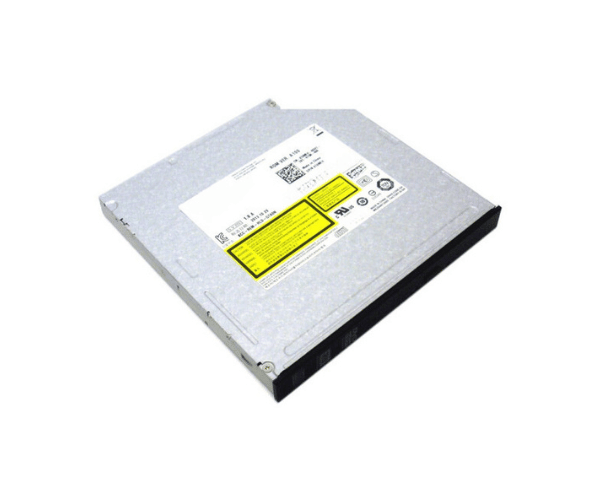
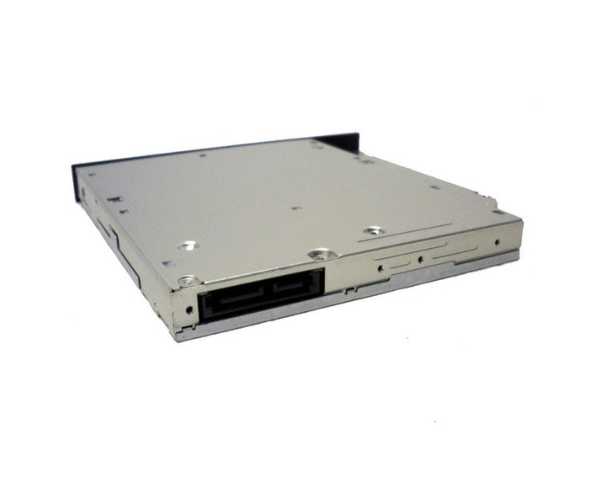
Introduction of Dell T8MFH Optical Drive DVD-RW Multi Recorder CD-RW Slimline
The Dell T8MFH Optical Drive DVD-RW Multi Recorder CD-RW Slimline offers a reliable and efficient solution for all your optical media needs. This drive is designed for users seeking versatility and performance in a compact form factor. Whether you need to read, write, or erase data, this drive meets various requirements for personal and professional use.
Why Choose the Dell T8MFH Optical Drive DVD-RW Multi Recorder CD-RW?
The Dell Optical Drive DVD Multi Recorder CD RW Slimline stands out for its versatility and efficiency. Users benefit from high-speed data writing and reliable reading capabilities. This optical drive is particularly suitable for those who need a dependable solution for everyday tasks, such as data backup, software installation, or media playback. Its slim design makes it perfect for laptops and desktops with limited space, while its compatibility with various formats ensures it meets diverse needs.
User Experience
Users report high satisfaction with the Dell T8MFH Optical Drive. They appreciate its fast performance and straightforward installation process. Many users highlight its reliability, noting that it efficiently handles different types of media without issues. The compact design is another aspect users enjoy, as it saves valuable space in their setups. Overall, users find the Dell T8MFH to be a practical choice for both home and office environments.
Detailed Breakdown of Features
The Dell T8MFH
Optical Drive delivers optimum performance and functionality. Its multi-recorder capabilities enable it to write to various media formats, including CD-R, CD-RW, DVD-R, DVD-RW, DVD+R, and DVD+RW. This flexibility allows users to choose the right format for their specific needs. With a high read speed of 24x for CDs and 8x for DVDs, it ensures fast access and efficient data retrieval. Its SATA interface provides a stable and speedy connection to the motherboard, making installation straightforward. Additionally, the slimline form factor makes it an excellent choice for compact setups, offering an ideal solution for users with limited space.
Installation Steps
- Turn Off the Computer: Make sure the computer is completely powered down and disconnected from the electrical outlet.
- Open the Case: Remove the side panel of the computer case to access internal components.
- Insert the Drive: Slide the Dell Optical Drive into an available 5.25-inch bay and secure it with screws.
- Connect the SATA Cable: Attach the SATA cable from the drive to the motherboard, ensuring a firm connection.
- Attach the Power Cable: Connect the power cable from the power supply to the drive.
- Close the Case: Replace the side panel of the computer case.
- Reconnect Power: Plug in the power source and turn on the computer. The operating system will automatically detect the drive once it is installed.
Where Can It Be Used?
The
Dell T8MFH Optical Drive works well in various environments. Home users can easily play DVDs or burn CDs for music and data storage. In business settings, this drive effectively handles data backups, software installations, and media playback. Its compatibility with various operating systems enhances its versatility across multiple platforms.