Introduction of Dell PY1GM Optical Drive SATA DVD-RW
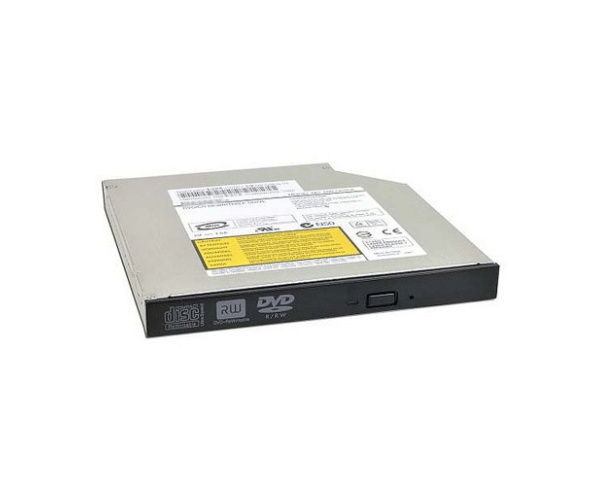
The Dell PY1GM Optical Drive SATA DVD-RW is a versatile and reliable optical drive designed for various Dell systems. It provides users with the ability to read and write a wide range of media formats, making it an essential component for data storage and multimedia tasks. Equipped with advanced features and broad compatibility, this optical drive is ideal for those seeking to improve their overall computing experience.
Why Choose the Dell PY1GM Optical Drive?
Opting for the Dell PY1GM Optical Drive Serial Advanced Technology Attachment DVD-RW means choosing a product built with quality and performance in mind. This optical drive is meticulously designed for flawless integration with multiple Dell desktops and laptops, guaranteeing both compatibility and optimal performance. Its capability to read and write multiple media formats makes it a versatile tool for both personal and professional use. Whether you need to install software, backup important files, or create DVDs, the Dell PY1GM has you covered.
User Experience
Users report a positive experience with the Dell PY1GM Optical Drive. They appreciate its quick installation process and reliable performance. Many users find the drive efficient for everyday tasks, such as burning CDs and DVDs, which saves time and enhances productivity. The drive's ability to handle various media formats is frequently praised, making it a practical addition to any system.
Detailed Breakdown of Features
The Dell PY1GM Optical Drive Serial Advanced Technology Attachment DVD-RW is designed with user convenience in mind. It features high read and write speeds, allowing for efficient data transfer and multimedia playback. With support for both CD and DVD formats, users can enjoy a wide range of functionalities, from watching movies to creating backup copies of important data. Its SATA interface ensures a quick connection to your system, minimizing delays in access times. The compact design fits perfectly into standard drive bays, making installation straightforward and hassle-free. The durability of the Dell PY1GM ensures that it can withstand regular use while maintaining optimal performance levels.
Installation Steps
- Start by turning off your computer and unplugging it from the power outlet.
- Remove the computer case cover to reach the internal drive bays.
- Locate the designated bay intended for the optical drive.
- Carefully insert the Dell Optical Drive into the bay, ensuring it is positioned correctly.
- Connect the SATA data cable from the optical drive to the motherboard.
- Securely attach the power cable to the optical drive.
- Replace the computer case cover and plug the power cord back into the outlet.
Where It Can Be Used?
The
Dell PY1GM Optical Drive DVD-RW is suitable for various environments, including home, office, and educational settings. It is ideal for users who need to read and write data on CDs and DVDs, making it a great choice for software installations, media playback, and data backup. Additionally, this optical drive is compatible with several Dell desktops and laptops, enhancing its usability across different systems.



-70x60h.png "Huawei M429R32 32GB DDR4 ECC RDIMM Server RAM")
-70x60h.png "EcoFlow 125W Bifacial Modular Portable Solar Panel")
