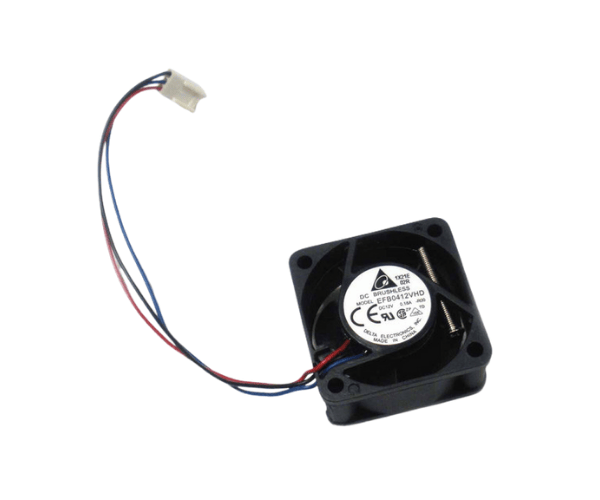
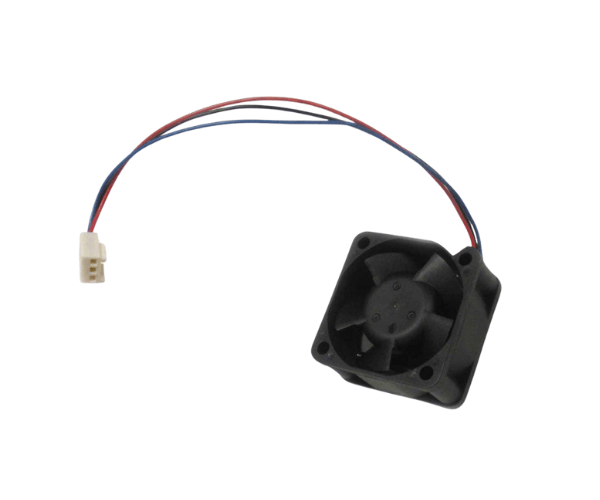
Introduction of Dell PowerConnect 6224 6224F 3x Fan Kit
The
Dell PowerConnect 6224 6224F 3x Fan Kit offers a high-quality cooling solution. It is designed specifically for Dell PowerConnect 6224 and 6224F switches. Keeping your network switches cool is essential for consistent performance. It effectively prevents downtime by reducing the risk of overheating. This fan kit includes three powerful fans. These fans ensure optimal airflow, extending the life of your equipment. They also enhance overall efficiency. Whether you manage a small office or a large data center, this fan kit is a must-have accessory. It supports smooth operation for your entire network infrastructure.
Why Choose Dell PowerConnect 6224 6224F 3x Fan Kit?
Choosing the
Dell 6224 6224F 3x Fan Kit ensures that your network switches operate in a cool and stable environment. Overheating can cause switches to fail, which may lead to network outages and reduced performance. This fan kit provides efficient, active cooling that keeps your Dell 6224 or 6224F switches functioning at their best, even under heavy network loads. The fans are specifically engineered for these models, ensuring perfect compatibility and hassle-free installation. In addition, the fan kit’s low noise levels make it ideal for use in both data centers and quieter office environments.
User Experience
Users of the
Dell 6224 6224F 3x Fan Kit appreciate its reliable performance and simple installation. Most users note that installing the fan kit takes only a few minutes, thanks to its plug-and-play design. The fans operate quietly, reducing noise pollution in server rooms or office spaces. Additionally, the fan kit effectively prevents overheating, ensuring smooth and consistent operation for extended periods. Many users report longer lifespans for their Dell switches due to the cooling provided by this fan kit.
Detailed Breakdown of Features
The
Dell 6224 6224F 3x Fan Kit has three high-performance fans. These fans ensure consistent cooling for network switches. The active cooling system circulates air effectively. This prevents excessive heat buildup inside the switch. The fans integrate seamlessly and fit perfectly into the switch’s fan slots. Installation is quick and easy.
The fans use low-noise technology to reduce disturbance in office environments. The fan kit is made from durable plastic and metal. This ensures it withstands continuous use without wear. The forced-air cooling distributes air evenly across critical areas. It keeps all components at optimal temperature. The compact design ensures efficient cooling without taking up extra space inside the switch.
Installation Steps
- Turn Off the Switch: Before you begin, ensure that the Dell 6224 or 6224F switch is turned off to prevent any power-related issues.
- Open the Fan Module: Locate the fan compartment on your switch and remove the cover to access the old fans.
- Remove Old Fans: Gently pull out the existing fans, making sure not to damage the connectors or surrounding components.
- Insert New Fans: Place the new Dell 3x Fan Kit fans into the designated slots, aligning them correctly with the fan housing.
- Secure the Fans: Ensure the fans are securely placed by tightening any screws or clips used to hold them in place.
- Reattach the Cover: Once the fans are installed, replace the fan compartment cover and make sure it’s tightly secured.
- Power On the Switch: Turn the switch back on and check that the fans are functioning correctly by observing the airflow and listening for smooth, quiet operation.
Where Can It Be Used?
The
Dell PowerConnect 6224 3x Fan Kit is ideal for a wide range of environments, including corporate offices, data centers, and network infrastructure setups. It’s particularly suitable for businesses and organizations that rely on Dell PowerConnect 6224 and 6224F switches to manage their network traffic. The fan kit can be used in any environment where stable and reliable network performance is required. It’s also a great option for home-based network setups, especially for users running complex network equipment that generates significant heat.