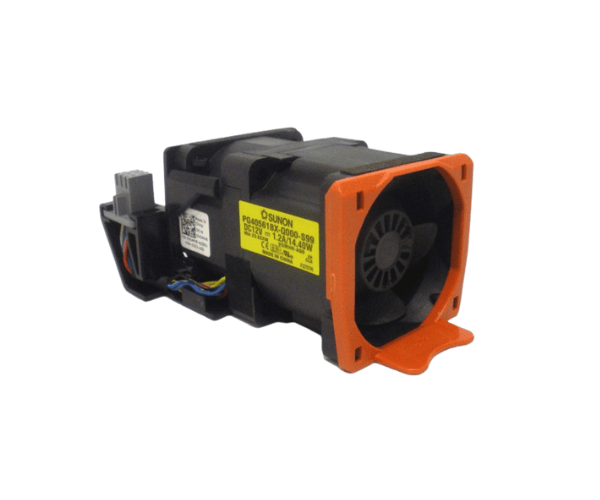
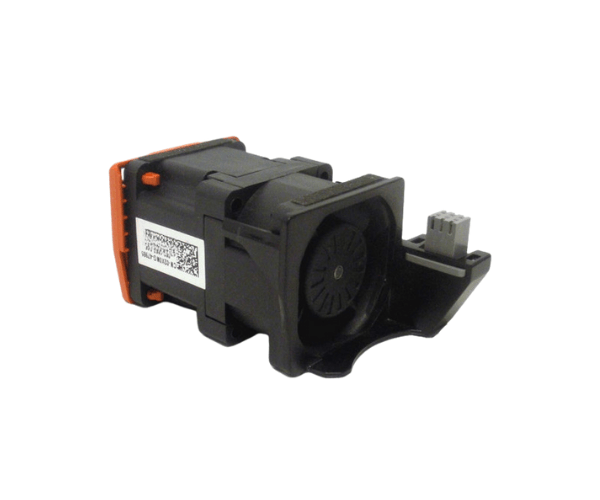
Introduction of Dell 2X0NG Hot Swap Fan Assembly for PowerEdge R620
The
Dell 2X0NG Hot Swap Fan Assembly for PowerEdge R620 plays a crucial role in ensuring optimal cooling for your server. Effective cooling maintains the longevity and performance of server components. Thanks to its hot-swap feature, you can easily replace the fan without shutting down the entire system. This capability minimizes downtime and keeps your infrastructure running smoothly.
Why Choose the Dell 2X0NG Hot Swap Fan Assembly for PowerEdge R620?
The
Dell 2X0NG Hot Swap Fan Assembly is ideal for users who want reliability and easy installation. Its hot-swap feature allows you to replace or upgrade the fan without turning off your server. This feature is essential for companies that run continuously. The fan's sturdy construction guarantees long-lasting performance. Additionally, its optimized design provides excellent airflow to prevent overheating. This makes the Dell 2X0NG essential for maintaining peak performance in demanding environments.
User Experience
Customers who have used the
Dell 2X0NG Hot Swap Fan Assembly report a seamless experience during installation, noting how simple the hot-swap feature is. They also appreciate the fan’s low noise levels, making it ideal for data centers and offices. The improvement in cooling performance is noticeable, and users highlight the fan's reliability in preventing overheating, which has extended the life of their servers.
Detailed Breakdown of Features
- Hot-Swap Capability: Allows fan replacement without shutting down the server.
- Optimized Airflow: Efficient cooling for enhanced performance.
- Tool-less Installation: Simple installation process without needing special tools.
- Low Noise: Quiet operation, ideal for server rooms or office environments.
- Sturdy Construction: Made with premium materials to ensure long-term reliability.
- Energy Efficient: Consumes less power, helping reduce overall operational costs.
- Compact Size: Fits easily into PowerEdge R620 servers.
- Easy Maintenance: The hot-swap feature makes future replacements quick and easy.
- 12V Operation: Stable power for consistent cooling performance.
- Lightweight: Simplifies installation and handling.
Installation Steps
- Power Down: Although the server can stay powered on, ensure the environment is safe for maintenance.
- Locate the Fan Assembly Slot: Identify the hot-swap fan slot in your PowerEdge R620 server.
- Remove the Old Fan: If you are replacing an old fan, slide it out of its slot.
- Insert the Dell 2X0NG Hot Swap Fan: Align the fan with the slot and gently push it into place until it clicks securely.
-
Reconnect the Power Connector: Ensure the fan is securely connected to the power source.
- Secure the Fan: Lock the fan into place to ensure it is secure and not loose.
- Monitor Performance: Check the server’s temperature and performance to verify that the new fan assembly is functioning correctly.
Where It Can Be Used?
The
Dell Hot Swap Fan Assembly is specially crafted for use with the Dell PowerEdge R620 server. It’s suitable for use in data centers, IT departments, and any enterprise that depends on the PowerEdge R620 for daily operations.