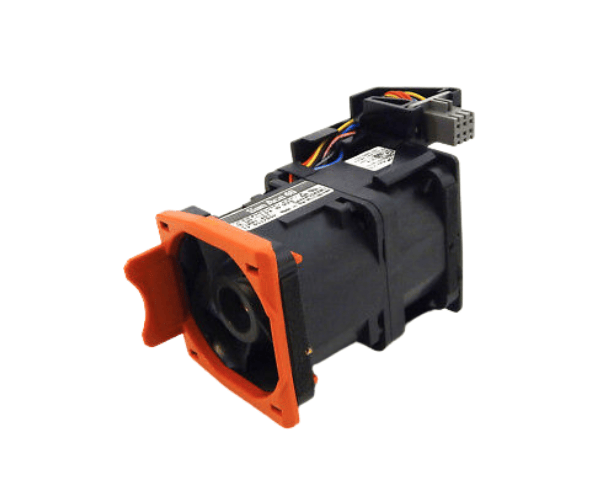
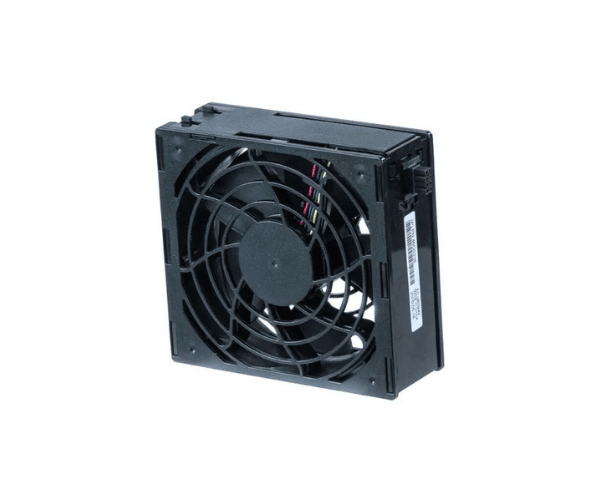
Introduction of Dell 1RK1R Fan Assembly
The Dell 1RK1R Fan Assembly is a crucial component designed for the PowerEdge R320, R620, and R630 servers. These servers generate significant heat during operation, making effective cooling essential for maintaining optimal performance and reliability. The Dell 1RK1R ensures your server runs efficiently by providing excellent airflow. Investing in this fan assembly is a proactive measure to enhance the lifespan and functionality of your server.
Why Choose the Dell 1RK1R Fan Assembly?
Choosing the
Dell Fan Assembly for your PowerEdge servers offers multiple advantages:
- Reliable Cooling: This fan provides effective heat dissipation, ensuring your servers operate smoothly and efficiently.
- Quiet Operation: The design minimizes noise, making it suitable for office environments or data centers.
- Easy Installation: The compact design and straightforward connectors simplify the installation process.
- Durability: Built from high-quality materials, the Dell 1RK1R is designed to deliver consistent performance over time.
- Compatibility: Specifically engineered for PowerEdge R320, R620, and R630, guaranteeing optimal fit and performance.
User Experience
Users appreciate the performance and reliability of the Dell 1RK1R Fan Assembly. Many report improved server temperatures and reduced noise levels after installation. Its easy installation process allows users to quickly replace or upgrade their existing fans without requiring extensive technical knowledge. Overall, customers find this fan assembly a valuable addition to their server maintenance routine.
Detailed Breakdown of Features
- High Airflow Performance: The fan effectively moves air to maintain optimal temperature, preventing overheating.
- Low Power Consumption: Operates efficiently to reduce energy costs while providing adequate cooling.
- Quality Materials: Made from durable materials that withstand long-term use without degradation.
- Lightweight Design: Easy to handle and install without adding significant weight to the server.
- Versatile Use: Compatible with multiple server models, enhancing its utility in various setups.
Installation Steps
- Power Down the Server: Make sure to completely turn off the server and disconnect it from the power source before starting the installation process.
- Remove the Server Cover: Carefully take off the server cover to access the internal components.
- Locate the Fan Slot: Identify the fan assembly location where the old fan is installed.
- Disconnect the Old Fan: Gently detach the connector of the existing fan from the motherboard and remove the screws holding it in place.
- Install the New Fan: Position the Dell Fan Assembly in the designated slot and secure it with screws.
- Connect the Wiring: Attach the fan's connector to the appropriate header on the motherboard.
- Replace the Server Cover: Once everything is securely in place, put the server cover back on.
- Power On the Server: Reconnect the power and turn on the server to check for proper operation.
Where It Can Be Used?
The
Dell 1RK1R Fan is ideal for use in various settings, including:
- Data Centers: Maintaining optimal server performance in high-demand environments.
- Small Business Servers: Ensuring reliable operation for small to medium-sized businesses.
- Home Labs: Perfect for personal server setups requiring efficient cooling solutions.