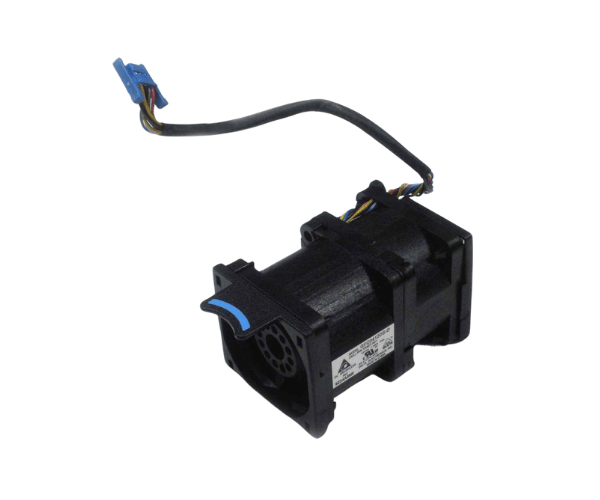
Introduction of Dell NW0CG System Fan for PowerEdge R440
The
Dell NW0CG System Fan for PowerEdge R440 is a vital component designed specifically for the PowerEdge R440 server. This high-performance fan plays a crucial role in maintaining optimal airflow and cooling within the server, ensuring efficient operation even under heavy workloads. Proper cooling is essential to prevent overheating, extend the life of your hardware, and maintain peak performance. By integrating the Dell NW0CG System Fan, you can enhance the reliability and stability of your PowerEdge R440 server.
Why Choose Dell NW0CG System Fan for PowerEdge R440?
Choosing the
Dell System Fan for your PowerEdge R440 server guarantees a high-quality cooling solution tailored for this specific model. This fan ensures efficient airflow, effectively dissipating heat generated by internal components. With a focus on reliability and performance, the Dell NW0CG System Fan is an ideal choice for those looking to maintain optimal server temperatures. By investing in this component, you can protect your server from overheating and extend its lifespan, making it a smart choice for any data center.
User Experience
Users appreciate the
Dell NW0CG System Fan for its reliability and quiet operation. Many have reported significant improvements in cooling efficiency after replacing their old or malfunctioning fans with this model. The installation process is straightforward, and users have praised the clear instructions provided by Dell. Overall, the Dell NW0CG System Fan has garnered positive feedback for its performance and ease of use.
Detailed Breakdown of Features
- High Airflow Capacity: Designed to provide excellent airflow, ensuring that all server components remain cool.
- Low Noise Levels: Operates quietly, minimizing disruptions in the server room or office environment.
- Durable Design: Constructed from high-quality materials to withstand continuous use without failure.
- Easy Installation: Plug-and-play installation makes replacing old fans quick and hassle-free.
- Compatibility: Specifically designed for the Dell PowerEdge R440, ensuring a perfect fit.
- Effective Temperature Control: Assists in keeping temperatures within ideal ranges, reducing the risk of overheating and potential damage to hardware components.
- Cost-effective Solution: An affordable way to upgrade your server's cooling system.
- Long-lasting Performance: Built to provide reliable cooling over extended periods.
- Temperature Regulation: Assists in maintaining consistent operating temperatures for peak performance.
- Energy Efficient: Designed to consume minimal power while providing maximum cooling output.
Installation Steps
- Power Down the Server: Ensure your Dell PowerEdge R440 is turned off and disconnected from the power source.
- Access the Fan Compartment: Open the server chassis to reach the fan assembly area.
- Remove the Old Fan: Gently disconnect the old fan from its power connector and lift it out of the slot.
- Insert the New Fan: Align the Dell NW0CG Fan with the designated slot in the server and push it gently until it is securely in place.
- Connect the Power: Plug the fan’s power connector into the appropriate port on the motherboard.
- Close the Chassis: Replace the server cover securely.
- Reconnect Power: Plug the server back into the power source and turn it on.
- Verify Operation: Check the fan's operation through the server’s management interface or observe for any unusual noise.
Where It Can Be Used?
The
Dell System Fan is primarily used in the Dell PowerEdge R440 servers, making it suitable for various applications in data centers, enterprise environments, and remote office setups. Its reliable cooling performance is ideal for server rooms that require efficient thermal management to maintain operational stability.