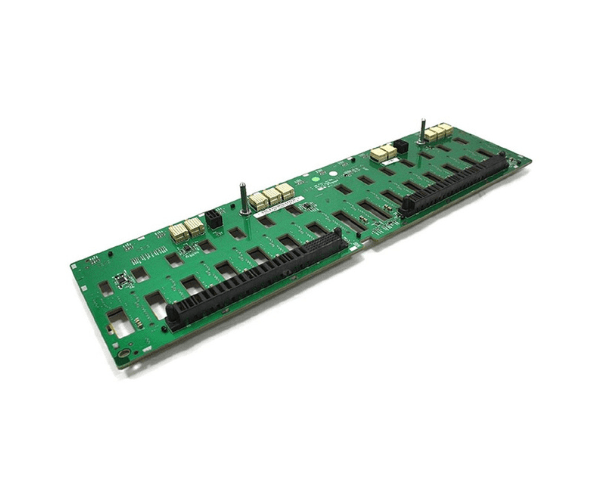
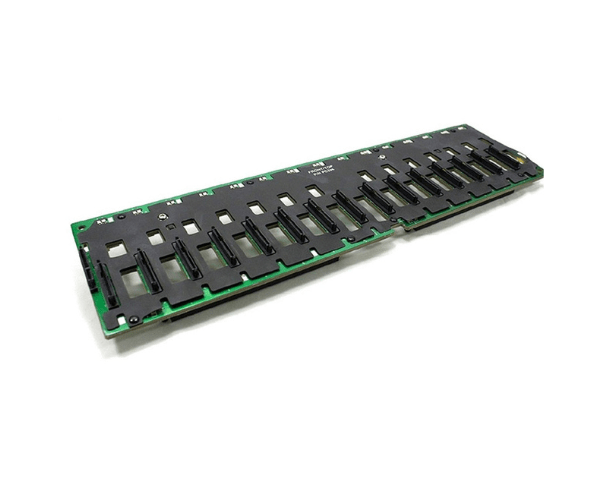
Introduction of Dell JH544 PowerVault MD1000 MD3000 MD3000i Midplane Backplane
The Dell JH544 PowerVault MD1000 MD3000 MD3000i Midplane Backplane Board enhances storage management for Dell PowerVault systems. This backplane board supports seamless integration and operation within the MD1000, MD3000, and MD3000i storage arrays. With its robust design and high-performance capabilities, the Dell JH544 is ideal for expanding and managing storage efficiently in various IT environments.
Why Choose the Dell JH544 PowerVault MD1000 MD3000 MD3000i Midplane Backplane?
The Dell JH544 PowerVault MD1000 MD3000 Midplane Backplane Board is an excellent choice for enhancing your storage infrastructure. It provides reliable and efficient support for your Dell PowerVault storage systems, ensuring optimal performance and scalability. By integrating this backplane board into your setup, you can efficiently manage and expand storage capacity, making it a valuable asset for data centers and IT professionals.
User Experience
Users report that the Dell JH544 PowerVault MD1000 MD3000i Midplane Backplane Board delivers exceptional performance and reliability. Its design facilitates easy integration and operation, contributing to a streamlined and efficient storage management experience. The high-quality construction ensures durability, while the effective cooling system helps maintain optimal operating temperatures, further enhancing the user experience.
Detailed Breakdown of Features
The Dell JH544 PowerVault MD3000 MD3000i Midplane Backplane Board delivers high performance and reliability. It supports multiple drives, allowing for flexible storage configurations tailored to your needs. The board integrates seamlessly with Dell PowerVault systems, ensuring stable operation and efficient data management. Constructed from durable materials, it withstands rigorous use and provides long-lasting performance. The effective cooling system helps prevent overheating, thus extending the lifespan of your drives and maintaining system stability.
Installation Steps
- Prepare the System: Power down the storage array and disconnect all cables.
- Remove Existing Backplane: If applicable, remove the old backplane board by unscrewing it from the chassis.
- Install the Dell JH544: Align the Dell JH544 PowerVault Midplane Backplane Board with the mounting slots.
- Secure the Backplane: Use screws to secure the new backplane board in place.
- Reconnect Cables: Attach all necessary cables to the backplane board.
- Power On: Reconnect the power supply and power on the storage array.
- Verify Operation: Check that the new backplane board is functioning correctly and that all drives are recognized.
Where it Can Be Used?
The
Dell JH544 PowerVault MD1000 MD3000 Midplane
Backplane Board is ideal for use in enterprise data centers, IT infrastructures, and other high-demand environments. It is specifically designed for Dell PowerVault MD1000, MD3000, and MD3000i storage systems, making it a suitable choice for expanding and managing storage capacity in these setups.