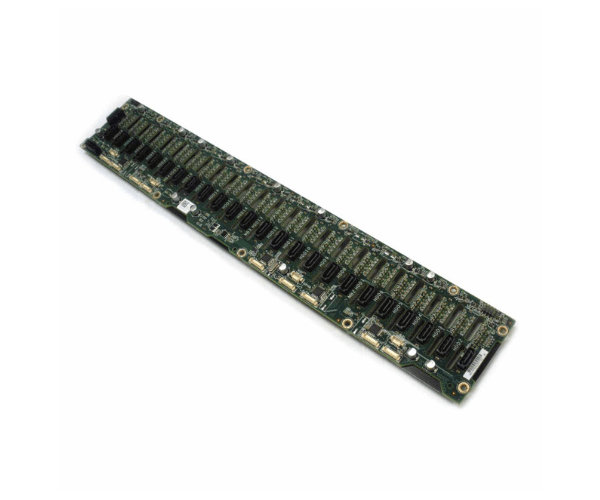
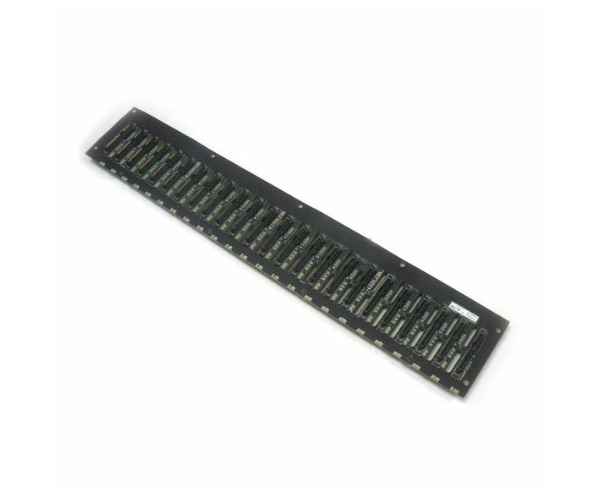
Introduction of Dell 8VM0J 24-Bay 2.5in HDD Backplane
The Dell 8VM0J 24-Bay 2.5in HDD Backplane for C6220 & C6300 is a robust and efficient solution designed to expand the storage capabilities of your Dell server. With its capacity to support up to 24 drives, this backplane enhances your system's performance and reliability, making it ideal for handling large volumes of data. Whether you are upgrading an existing setup or building a new system, the Dell 8VM0J Backplane offers exceptional performance and scalability for demanding applications.
Why Choose Dell 8VM0J 24-Bay 2.5in HDD Backplane?
Choosing the Dell 8VM0J 24-Bay HDD Backplane for C6220 & C6300 ensures that you achieve optimal storage capacity and performance for your server. This backplane supports up to 24 drives, providing ample space for large-scale data storage needs. It integrates seamlessly with Dell servers, enhancing overall efficiency and reliability. Additionally, the Dell 8VM0J Backplane features robust construction and advanced cooling to maintain stable operation, making it an excellent choice for high-demand environments.
User Experience
Users of the Dell 8VM0J 2.5in HDD Backplane for C6220 & C6300 have noted its impressive performance and reliability. The backplane is easy to install and integrates well with compatible Dell servers. Many users appreciate the expanded storage capacity and the efficient cooling system, which helps keep their systems running smoothly. The ability to manage up to 24 drives with ease has been particularly valued in high-traffic data environments.
Key Features
- Extensive Storage Capacity: Supports up to 24 x 2.5-inch drives.
- High Compatibility: Designed for seamless integration with Dell servers.
- Durable Construction: Made from high-quality materials for longevity.
- Efficient Cooling: Integrated cooling system to prevent overheating.
- Hot-Swap Capability: Allows for easy drive replacement without downtime.
- Fast Data Transfer: Supports up to 12Gbps data rates for quick access.
- User-Friendly Installation: Simple and straightforward setup process.
- Versatile Use: Suitable for various high-demand applications.
- Enhanced Reliability: Provides stable performance for critical operations.
- Scalable Storage: Ideal for expanding storage in growing data environments.
Installation Steps
- Power Down: Turn off your Dell server and disconnect all cables.
- Open Chassis: Remove the server's chassis cover to access internal components.
- Remove Existing Backplane: Carefully detach any existing backplane if applicable.
- Install Dell 8VM0J Backplane: Align the new backplane with the mounting slots and secure it.
- Connect Cables: Attach the SAS/SATA cables and ensure power connections are secure.
- Reassemble Server: Replace the chassis cover and fasten all screws.
- Power On: Reconnect all cables and power on the server. Verify the new backplane is recognized in the BIOS.
Where It Can Be Used?
The
Dell 8VM0J 24-Bay 2.5in
Backplane for C6220 & C6300 is ideal for use in Dell servers requiring high-capacity storage solutions. It is suitable for data centers, enterprise environments, and high-performance computing scenarios where large volumes of data need to be stored and accessed quickly. This backplane is perfect for applications such as database management, virtualization, and large-scale file storage.