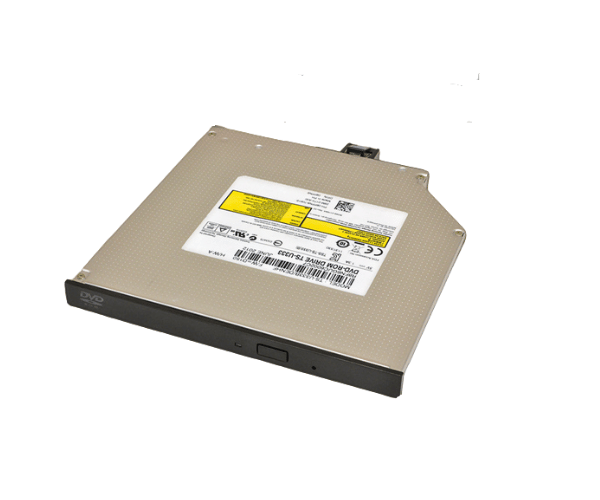
Introduction of Dell 8PPN8 Optical Drive Slimline SATA DVD-ROM
Upgrade your computer system with the Dell 8PPN8 Optical Drive Slimline SATA DVD-ROM. This high-performance optical drive offers reliable media access and is designed for seamless integration with various Dell desktops and laptops. Whether you need to read DVDs, CDs, or install software, this drive delivers efficiency and versatility.
Why Choose the Dell 8PPN8 Optical Drive Slimline SATA DVD-ROM?
Choosing the Dell 8PPN8 Optical Drive Slimline Serial Advanced Technology Attachment DVD-ROM ensures you get a reliable and efficient solution for all your media access needs. This drive is specifically designed for Dell systems, which means it integrates seamlessly into your existing setup. With its slimline design, the drive fits perfectly in tight spaces, maximizing the available room in your case. Additionally, it offers high read speeds for both DVDs and CDs, making it an ideal choice for reading and installing software quickly and efficiently.
User Experience
Users appreciate the Dell 8PPN8 Optical Drive for its fast and reliable performance. Many customers have reported a smooth experience while reading or writing data on DVDs and CDs. The installation process is straightforward, and its compatibility with various Dell models enhances the overall user satisfaction. The drive’s compact design ensures it fits neatly into any system without taking up unnecessary space.
Detailed Breakdown of Features
The Dell 8PPN8 Optical Drive Slimline Serial Advanced Technology Attachment DVD-ROM boasts several advanced features that set it apart from traditional optical drives. Firstly, its Serial Advanced Technology Attachment interface provides faster data transfer speeds compared to older IDE connections, ensuring quick access to your media. The drive supports a wide range of formats, making it versatile for different applications, from data storage to multimedia playback. Its slim design not only saves space but also improves airflow within your computer, contributing to overall system performance. Furthermore, the Dell 8PPN8 is engineered for durability, offering consistent performance over time, which is essential for any user relying on frequent media access.
Installation Steps
- Begin by powering down your computer and disconnecting it from the electrical outlet.
- Open the computer case to access the internal drive bays.
- Locate the appropriate bay designed for the optical drive.
- Carefully insert the Dell Optical Drive into the bay, ensuring it aligns correctly.
- Connect the SATA data cable from the optical drive to the motherboard, ensuring a secure fit.
- Plug the power cable into the optical drive to provide it with the necessary power.
- Replace the computer case cover and reconnect the system to the power supply.
Where It Can Be Used?
The
Dell 8PPN8 Optical Drive Slimline Serial Advanced Technology Attachment DVD-ROM is ideal for use in various environments, including home offices, corporate settings, and educational institutions. It can be employed in desktops, laptops, and servers where reliable media access is essential. Whether you need to install software, play media, or back up data, this drive provides the flexibility and performance needed for diverse applications.