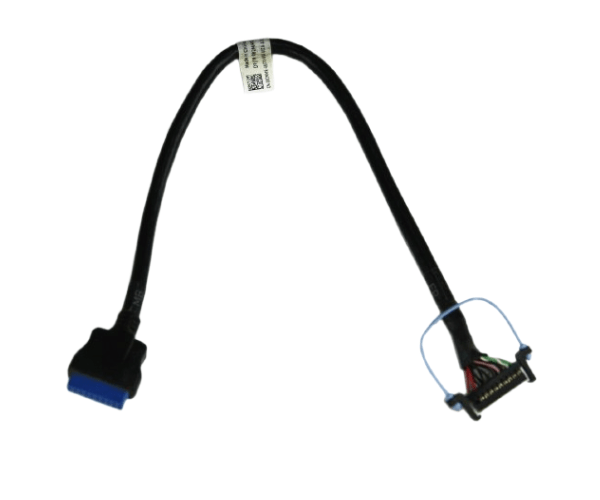
Introduction of Dell 82MMR PowerEdge T430 Control Panel USB Cable
The Dell 82MMR PowerEdge T430 Control Panel USB Cable connects crucial components in Dell PowerEdge T430 servers. This USB cable connects the server's control panel to the motherboard, ensuring seamless communication and control. The Dell 82MMR cable ensures reliable and efficient connectivity. It supports your server’s performance and functionality. This cable is essential for your server infrastructure.
Why Choose the Dell 82MMR PowerEdge T430 Control Panel USB Cable?
Choose the Dell 82MMR PowerEdge T430 Control Panel Universal Serial Bus Cable to ensure seamless connectivity between your PowerEdge T430 server's control panel and motherboard. This cable guarantees stable communication and reliable performance, making it a vital component for maintaining your server’s operational efficiency. The Dell 82MMR cable meets the specific needs of the PowerEdge T430, ensuring smooth and effective server operation.
User Experience
Users of the Dell 82MMR PowerEdge T430 Control Panel Universal Serial Bus Cable often report improved server performance and reliable connectivity. The straightforward installation process and durable construction make this cable a preferred choice among IT professionals and server administrators. Its compatibility with the PowerEdge T430 ensures that users can maintain consistent communication between the server’s control panel and internal systems.
Detailed Breakdown of Features
The Dell 82MMR PowerEdge T430 Control Panel Universal Serial Bus Cable stands out for its reliable performance and easy installation. Engineered to connect the control panel to the motherboard, it ensures smooth and stable communication within the server. Its USB connectivity provides a straightforward and secure connection, minimizing the risk of data transfer issues. The Dell 82MMR cable supports the PowerEdge T430’s operational efficiency by accurately and promptly transmitting control signals.
Installation Step
- Power Down the Server: Ensure the server is completely powered off before starting the installation process.
- Locate the Control Panel and Motherboard: Identify the control panel and the corresponding USB port on the motherboard of your PowerEdge T430 server.
- Connect the Cable: Attach one end of the Dell 82MMR cable to the USB port on the control panel and the other end to the USB port on the motherboard.
- Secure the Connection: Ensure that both ends of the cable are securely connected and properly seated.
- Power On the Server: Turn the server back on and verify that the control panel is functioning correctly.
Where It Can Be Used?
The
Dell 82MMR PowerEdge T430 Control Panel Universal Serial Bus Cable is ideal for use in Dell PowerEdge T430 servers. It is essential for connecting the server’s control panel to the motherboard, ensuring that all control functions operate seamlessly. Data centers, server rooms, and enterprise environments widely use this cable where reliable server performance is crucial.