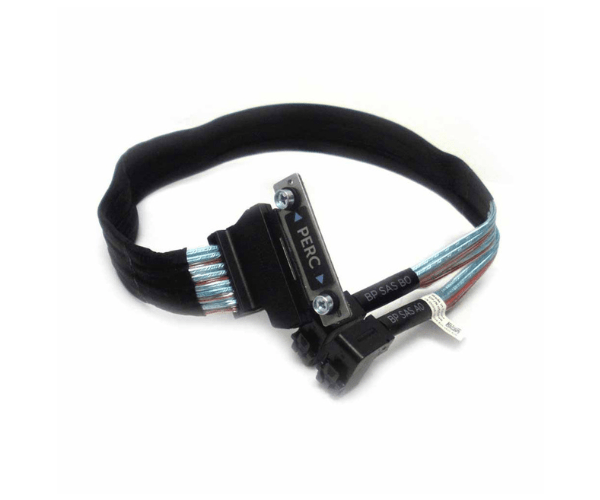
Introduction of Dell 5DP9R Mini SAS HD Cable
The Dell 5DP9R Mini SAS HD Cable offers high-performance connectivity for your server infrastructure. It efficiently transfers data between devices, ensuring reliable performance for data-intensive applications. Thanks to its robust design and exceptional quality, the Dell 5DP9R cable maintains smooth and efficient operation in your server setup.
Why Choose the Dell 5DP9R Mini SAS HD Cable?
The Dell 5DP9R Mini SAS Hard Drive Cable stands out due to its reliability and high-speed data transfer capabilities. Designed by Dell, a leader in IT solutions, this cable ensures optimal performance and compatibility with a range of server and storage devices. By choosing the Dell 5DP9R cable, you invest in a product that offers exceptional durability and efficiency, making it ideal for demanding data environments.
User Experience
Users of the Dell 5DP9R Mini SAS Hard Drive Cable appreciate its seamless integration and robust performance. The cable is noted for its easy installation and reliable connection, which significantly enhances data transfer rates and reduces downtime. Many users report improved overall system efficiency and stable connectivity with this cable, reinforcing its value in professional settings.
Detailed Breakdown of Features
The Dell 5DP9R Mini SAS Hard Drive Cable features high-speed data transfer capability, crucial for managing large volumes of data quickly and efficiently. Its Mini SAS Hard Drive connectors ensure a secure, stable connection between devices, minimizing data loss and signal degradation. The cable’s durable construction withstands the demands of constant use in challenging environments, providing long-lasting performance. Additionally, the cable supports various lengths to accommodate different server setups, offering flexibility and ease of installation.
Installation Steps
- Power Down: Turn off all devices and disconnect them from the power source.
- Open the Server: Detach the cover of the server chassis to access the internal components.
- Locate Ports: Locate Ports: Identify the Mini SAS HD ports on both the server and the storage devices.
- Connect Cable: Attach one end of the Dell 5DP9R HD Cable to the server’s Mini SAS HD port and the other end to the storage device.
- Secure Connection: Ensure the cable is firmly connected and not interfering with other components.
- Close Chassis: Replace the server’s chassis cover and reconnect the power source.
- Power On: Turn on the server and check that the cable is functioning correctly.
Where It Can Be Used?
The
Dell 5DP9R Mini SAS Hard Drive Cable is ideal for use in data centers, enterprise servers, and high-performance computing environments. It is perfect for connecting high-speed storage devices, servers, and other equipment requiring reliable and fast data transfer.