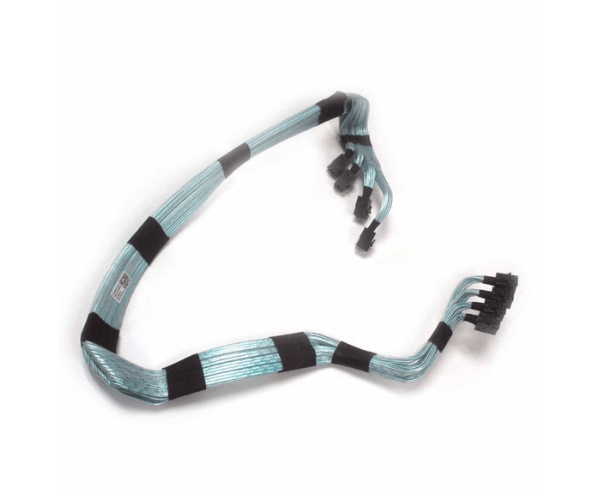
Introduction of Dell 66FK9 4x4 Mini-SAS HDD Harness Cable
The Dell 66FK9 4x4 Mini-SAS HDD Harness Cable plays a crucial role in improving your server’s connectivity. It ensures reliable data transfer between Mini-SAS ports and hard drives. This high-quality cable supports both new server installations and upgrades. It maintains smooth, consistent data flow, boosting overall system performance.
Why Choose the Dell 66FK9 4x4 Mini-SAS HDD Harness Cable?
Choosing the Dell 66FK9 4x4 Mini-SAS Hard Disk Drive Harness Cable ensures you are investing in a product that meets high standards of quality and reliability. The Dell 66FK9 cable is specifically designed for optimal performance with Dell servers, guaranteeing a seamless connection between your hard drives and server system. By selecting the Dell 66FK9, you are opting for a trusted solution that enhances data transfer efficiency and supports stable server operations.
User Experience
Users of the Dell 66FK9 4x4 Mini-SAS Hard Disk Drive Harness Cable experience excellent performance and reliability. They praise the cable for its easy installation and compatibility with various Dell server models. Users value the stable data connections it offers, which enhance server performance and reduce downtime. The Dell 66FK9 cable stands out for its durability and reliable operation in demanding conditions.
Detailed Breakdown of Features
The Dell 66FK9 4x4 Mini-SAS Hard Disk Drive Harness Cable stands out due to its robust design and high-performance capabilities. Featuring Mini-SAS connectors, the cable ensures high-speed data transfer between your server’s ports and hard drives. Its durable construction is engineered to handle the rigorous demands of enterprise environments. The 4x4 configuration allows for efficient connection of multiple drives, optimizing your server's storage capabilities. The cable’s design also minimizes signal loss, enhancing overall data integrity and system reliability.
Installation Steps
- Power Down: Turn off your server and disconnect it from the power source.
- Locate Connectors: Find the Mini-SAS ports on your server and the corresponding connectors on your hard drives.
- Connect Cable: Attach the Mini-SAS connectors from the Dell 66FK9 cable to the appropriate ports on the hard drives and server.
- Secure Connections: Ensure all connections are firm and properly seated.
- Reassemble Server: Close the server chassis and reconnect the power source.
- Power On: Turn the server back on and check for proper functionality.
Where It Can Be Used?
The
Dell 66FK9 4x4 Mini-SAS Hard Disk Drive Harness Cable is ideal for use in data centers, large IT environments, and enterprise-level server setups. It is perfect for connecting hard drives to Mini-SAS ports in Dell servers, making it suitable for both new installations and system upgrades. This cable helps ensure reliable data transfer and supports efficient storage solutions in various server applications.