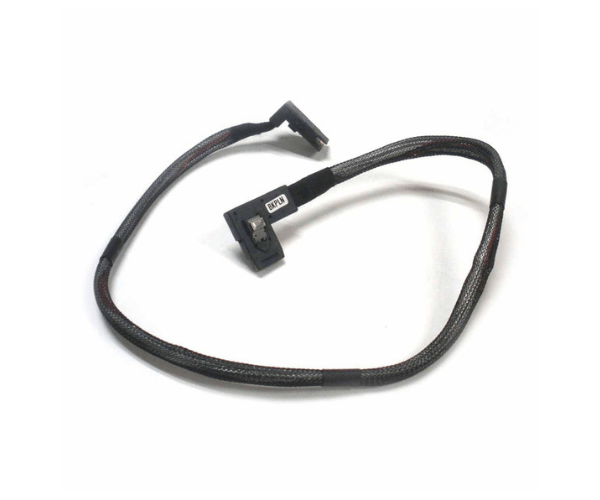
Introduction of Dell 0R145 Cable Mini SAS H700 Perc for PowerEdge R720
The Dell 0R145 Mini SAS H700 Perc Cable connects the Dell PowerEdge R720 server's RAID controller to the storage backplane. The Dell 0R145 cable ensures a reliable connection between the H700 RAID controller and the server’s storage backplane. It facilitates efficient data transfer and optimal performance. The cable features a robust design and high-quality materials. The Dell 0R145 is perfect for maintaining your server's storage system performance and stability.
Why Choose the Dell 0R145 Mini SAS H700 Perc Cable?
Choose the Dell 0R145 Mini Serial Attached SCSI H700 Perc Cable for its exceptional compatibility and performance with the Dell PowerEdge R720 server. This cable is specifically engineered to work seamlessly with the H700 RAID controller, ensuring reliable data transfer and stable server operations. By using the Dell 0R145, you enhance the efficiency of your server’s storage system and maintain high performance.
User Experience
Users appreciate the Dell 0R145 for its straightforward installation and reliable performance. It provides a secure connection, reducing the risk of data transfer issues. IT professionals and server administrators trust it for reliability. The high-quality construction of the Dell 0R145 ensures durability. This design contributes to fewer maintenance needs and improved server stability.
Detailed Breakdown of Features
The Dell 0R145 Mini Serial Attached SCSI H700 Perc Cable features mini SAS connectors that offer a secure and stable connection between the H700 RAID controller and the storage backplane of the PowerEdge R720. This design ensures minimal signal degradation and high-speed data transfer. Its robust construction meets the demanding requirements of high-performance server environments, delivering consistent performance and reliability.
Installation Step
- Power Down the Server: Turn off the server completely before starting the installation.
- Locate the RAID Controller and Storage Backplane: Find the H700 RAID controller and the storage backplane in your PowerEdge R720 server.
- Connect the Cable: Plug one end of the Dell 0R145 cable into the mini SAS port on the H700 RAID controller. Attach the other end to the storage backplane.
- Secure the Connection: Ensure both connections are firmly in place.
- Power On the Server: Turn on the server. Check that the storage system is recognized and working properly.
Where It Can Be Used?
The
Dell 0R145 Mini Serial Attached SCSI H700 Perc Cable connects the H700 RAID controller to the storage backplane in Dell PowerEdge R720 servers. It is ideal for enterprise environments, data centers, and high-performance computing setups where reliable data transfer and server stability are critical.