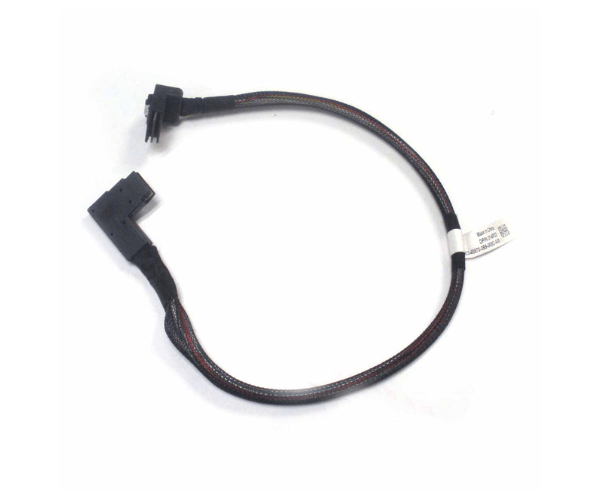
Introduction of Dell 14P33 Mini SAS Cable for PowerEdge R320 R420 & R720
The Dell 14P33 Mini SAS Cable connects storage devices to Dell PowerEdge R320, R420, and R720 servers. It provides reliable and robust connectivity. This cable ensures smooth data transfer between your server’s storage backplane and RAID controller or motherboard. Its high-performance design makes it an essential piece for maintaining optimal server operation and data integrity.
Why Choose the Dell 14P33 Mini SAS Cable?
The Dell 14P33 Mini Serial Attached SCSI Cable is engineered for Dell PowerEdge R320 R420, and R720 servers. It enhances connectivity and ensures stability. This cable maintains an efficient link between storage devices and the motherboard or RAID controller. The Dell 14P33 provides high data transfer rates and reliable performance, which are crucial for demanding server environments.
User Experience
Users appreciate the Dell 14P33 Mini Serial Attached SCSI Cable for its exceptional reliability and ease of installation. The cable’s robust design contributes to improved data transfer speeds and reduces the risk of connectivity issues. Many IT professionals have noted that using this cable results in more stable server performance and fewer disruptions.
Detailed Breakdown of Features
The Dell 14P33 Mini Serial Attached SCSI Cable stands out for its precise engineering and high-quality construction. The Dell 14P33 Mini SAS Cable features mini SAS connectors that securely connect storage devices to the server’s internal systems. This cable supports data transfer rates of up to 6Gbps, making it suitable for environments where high-speed data transfer is critical. The high-quality materials used in the Dell 14P33 ensure durability and long-term reliability, even under heavy use. Its compatibility with multiple Dell PowerEdge models enhances its versatility, making it a preferred choice for IT professionals managing various server setups.
Installation Steps
- Power Down the Server: Ensure the server is completely powered off and unplugged before beginning installation.
- Locate the SAS Connectors: Identify the mini SAS ports on the server’s storage backplane and RAID controller.
- Connect the Cable: Align the mini SAS connectors on the Dell 14P33 with the ports and gently insert them, ensuring a secure fit.
- Secure the Cable: Use any necessary clips or fasteners to secure the cable in place.
- Power On the Server: Reconnect the server to power and boot it up to verify that the cable is functioning correctly.
Where It Can Be Used?
The
Dell 14P33 Mini Serial Attached SCSI Cable is ideal for use in Dell PowerEdge R320, R420, and R720 servers, especially in data centers, enterprise IT environments, and high-performance computing setups. It is essential for connecting storage devices to RAID controllers or motherboards, ensuring efficient and reliable data transfer.