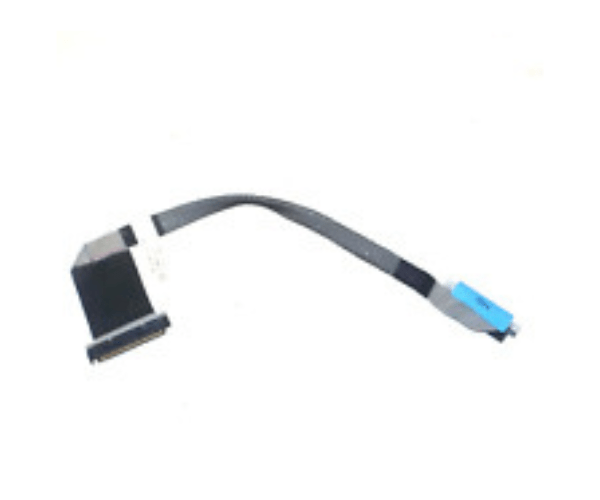
Introduction of Dell 4MRXD Control Panel Cable for PowerEdge T430
Dell designed the 4MRXD Control Panel Cable specifically for the PowerEdge T430 server. This cable connects the server’s control panel to the motherboard, ensuring seamless communication between the server's front panel and internal components. It is a vital component for maintaining the functionality and performance of your PowerEdge T430 server. Whether you are upgrading your system or performing maintenance, the Dell 4MRXD Control Panel Cable ensures reliable and efficient operation.
Why Choose the Dell 4MRXD Control Panel Cable?
Opt for the Dell Control Panel Cable to ensure a reliable connection between the control panel and the motherboard of your PowerEdge T430 server. Designed by Dell, this cable meets the highest standards of quality and performance. Using the Dell 4MRXD Control Panel Cable guarantees smooth operation and effective communication within your server system, preventing connectivity issues and maintaining system integrity.
User Experience
Users of the Dell 4MRXD Control Panel Cable appreciate its reliability and ease of installation. Many have noted improved system stability and seamless integration with their PowerEdge T430 server. The cable’s durable construction ensures long-term performance, and Dell's reputation for high-quality components adds confidence to the investment. Overall, users find the Dell Control Panel Cable to be a crucial part of their server setup.
Detailed Breakdown of Features
The Dell 4MRXD Control Panel Cable provides a stable connection between the PowerEdge T430 server's control panel and its internal components. Its proprietary Dell connectors ensure a precise fit and reliable communication. The cable supports efficient data transfer and integrates seamlessly with the server’s architecture. Made from high-quality materials, it offers durability and longevity. The Dell 4MRXD Control Panel Cable stands out for its robust design and dependable performance, making it an essential component for maintaining server functionality.
Installation Steps
- Power Down: Shut down the PowerEdge T430 server and disconnect it from the power source.
- Open the Server Case: Remove the server’s cover to access internal components.
- Locate the Connectors: Find the control panel connectors on the motherboard and the front panel.
- Connect the Cable: Attach the Dell Control Panel Cable to the connectors on both the control panel and the motherboard.
- Secure the Connection: Ensure the cable is firmly connected and secure.
- Reassemble the Case: Replace the server cover and secure it.
- Power On: Reconnect the power source and turn on the server to check the connection.
Where It Can Be Used?
The
Dell Control Panel Cable connects the front control panel of Dell PowerEdge T430 servers to the internal motherboard. Use this cable for server maintenance, upgrades, and initial installations to ensure reliable internal communication. It fits well in data centers, enterprise IT setups, and high-performance computing environments where Dell PowerEdge T430 servers are used.