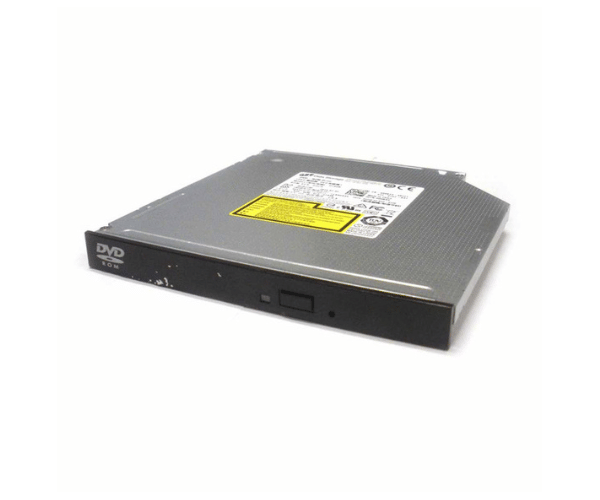
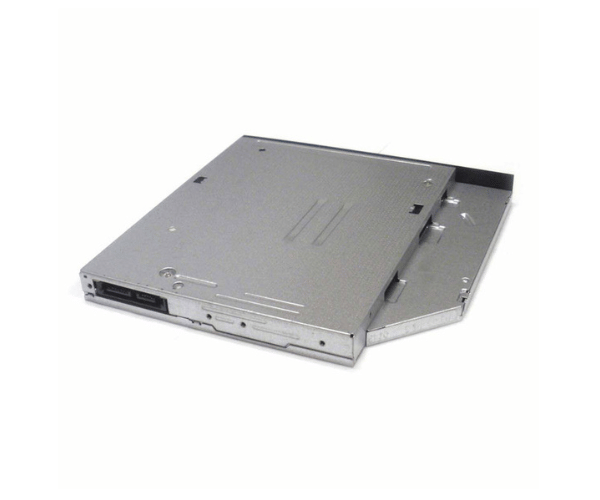
Introduction of Dell 80N64 DVD Drive 8x SATA Slimline for R430
The Dell 80N64 DVD Drive 8x SATA Slimline for R430 is a reliable optical drive designed to enhance your server's multimedia capabilities. This drive provides fast and efficient data access, allowing users to read and write CDs and DVDs with ease. Its slimline design ensures a space-saving installation, making it an ideal choice for those looking to optimize their server performance.
Why Choose this Dell 80N64 DVD Drive 8x SATA Slimline for R430?
The Dell 80N64 DVD Drive 8x Serial Advanced Technology Attachment Slimline for R430 is an excellent choice for those who need a dependable optical drive for their server. This product stands out due to its combination of performance, compatibility, and ease of use. The drive’s fast read and write speeds enhance productivity, while its slim design ensures it fits seamlessly into your setup without taking up excess space. For anyone managing data or media on their server, the Dell 80N64 is a practical and efficient solution.
User Experience
Users have reported a positive experience with the Dell 80N64 DVD Drive. The installation process is straightforward, and the drive integrates well with the Dell PowerEdge R430. Many users appreciate the quick access to data and media, noting that the drive performs reliably even under demanding conditions. Overall, it has become a valuable asset for those who frequently work with optical media.
Detailed Breakdown of Features
The Dell 80N64 DVD Drive 8x Serial Advanced Technology Attachment Slimline for R430 boasts several notable features. First, it supports a wide range of media formats, making it versatile for various applications. The drive’s SATA interface ensures high-speed data transfer, crucial for tasks involving large files or multiple media formats. Additionally, the 8x reading and writing speeds significantly reduce the time required for data transfer and backup operations. Its slimline design not only saves space but also promotes efficient airflow within the server, contributing to better overall performance. The lightweight construction allows for easy installation, ensuring that users can quickly set it up without hassle.
Installation Steps
- Shut down your server and unplug it from the power supply.
- Remove the server chassis to gain access to the internal drive bays.
- Identify the specific bay allocated for the optical drive inside the server chassis.
- Gently insert the Dell DVD Drive into the bay, ensuring a snug fit.
- Attach the SATA data cable from the drive to the motherboard securely.
- Connect the power cable to the drive.
- Close the server chassis and reconnect the power source.
Where It Can Be Used?
The
Dell 80N64 DVD Drive 8x Serial Advanced Technology Attachment Slimline for R430 is perfect for various applications in both personal and professional environments. It is ideal for data archiving, software installation, and media playback on servers. Users can leverage its capabilities for backup purposes, data retrieval, and running multimedia presentations. This drive is suitable for businesses, educational institutions, and home users who require a dependable optical solution.