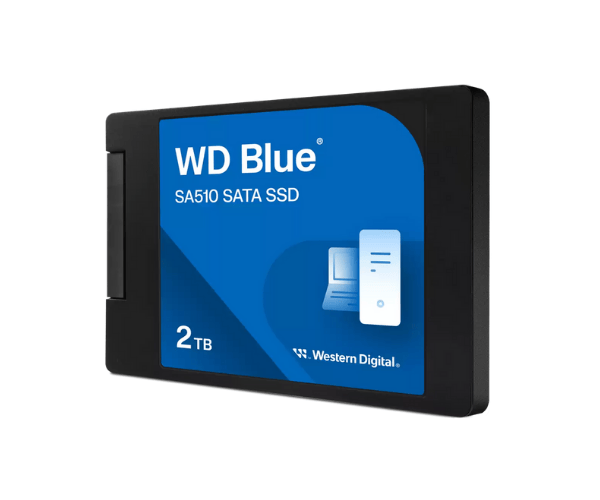
About Western Digital WDS200T3B0A-00C7K0 2TB SA510 SATA SSD
The Western Digital WDS200T3B0A-00C7K0 2TB SA510 SATA SSD is a highly effective and long-lasting storage device ideal for high-performance speed and long-lasting durability. Its high read/write speed and large capacity make it an outstanding option for professionals, servers, and users who require productive multitasking, fast boot, and system responsiveness.
Western Digital WDS200T3B0A-00C7K0 2TB SA510 SATA SSD in BD
The Western 2TB SA510 SATA SSD is available for purchase in Bangladesh from genuine tech shops and leading eCommerce websites. It comes at a low price, offering excellent value to consumers looking to upgrade their computers with high-storage SSDs that deliver speed, reliability, and endurance.
User Experience of Western Digital WDS200T3B0A-00C7K0 SA510 SATA SSD
The Western WDS200T3B0A-00C7K0 2TB SATA SSD users notice a noticeable performance boost. Quicker application opening, faster system start-up time, and less jerky file handling are overall. Whether for server application, gaming, or work, this SSD provides a lag-free, power-saving, and silent running.
Why Choose The Western Digital WDS200T3B0A-00C7K0 2TB SA510 SATA SSD?
The Western Digital WDS200T3B0A-00C7K0 SA510 SATA SSD is the ideal response to anyone who wants to upgrade to a high-capacity, high-performance drive. It is a good brand and features great read/write speeds, high reliability, and wide compatibility with systems supporting 2.5-inch SATA drives. Ideal for work and server use.
Key Features
- Enormous 2TB storage capacity for big software and files.
- Blazing high-speed read (up to 560MB/s) and write (up to 520MB/s) performance.
- Built with 3D NAND technology for greater durability.
- 2.5-inch SATA form factor for compatibility with most desktop and server uses.
- Shock-resistant design protects your data.
- Low power consumption to assist in achieving maximum energy efficiency.
- Ideal for multitasking, media editing, and backups.
How to Maintain The Western Digital WDS200T3B0A-00C7K0 SA510 SATA SSD?
For your Western Digital 2TB SA510 SATA SSD to perform optimally:
- Update firmware with WD Dashboard software.
- Don't fill the drive to capacity—leave a little space available.
- Protect your system against power loss with a UPS.
- Keep the device clean and cool for optimal airflow.
- Check SSD health and performance with monitoring software regularly.
Installation Steps
- Power off and shut down computer.
- Open case and locate a 2.5-inch SATA drive bay.
- Mount Western Digital WDS200T3B0A-00C7K0 SATA SSD securely.
- Connect SATA data and power cables.
- Close case and boot the computer.
- Enter BIOS to confirm drive detection.
- Format the SSD or install your operating system as needed.
Where It Can Be Used?
- Server systems for high-capacity and fast-access needs.
- Gaming, media editing, and multitasking desktop PCs.
- Heavy file work business environments.
- Office systems for improved speed and reliability.
- Upgrading older HDDs on workstations.