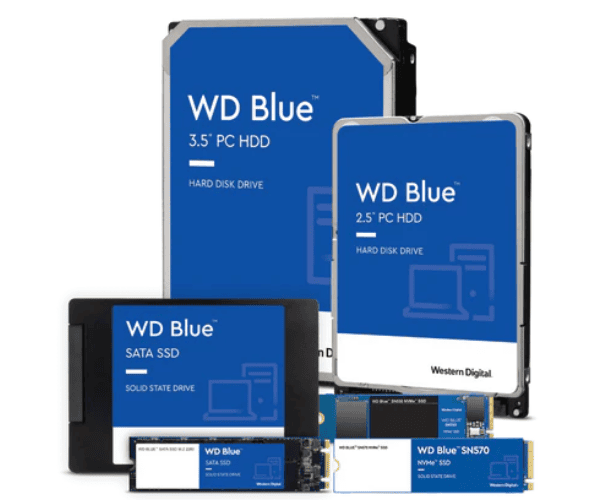
About WD WDS200T3B0E-00CHF0 2TB Blue SN580 NVMe Server SSD
The WD WDS200T3B0E-00CHF0 2TB Blue SN580 NVMe Server SSD delivers next-generation high-capacity storage with PCIe Gen4 speed. Designed for high-performance computing applications with robust performance, the SSD delivers instant booting, top-tier read/write performance, and reliable consistency, positioning it perfectly on servers, desktops, game systems, and workstations under intense usage.
WD WDS200T3B0E-00CHF0 2TB Blue SN580 NVMe Server SSD in BD
In Bangladesh, the WD WDS200T3B0E-00CHF0 Blue SN580 NVMe Server SSD is available in popular computer shops and online stores. It is a good choice for people looking for high-capacity SSD with balance in speed and stability. The product is worth the money and best for heavy usage of data.
User Experience of WD WDS200T3B0E-00CHF0 2TB Blue SN580 Server SSD
The WD WDS200T3B0E-00CHF0 2TB Blue NVMe Server SSD is a favorite among its users with class-leading performance for gaming, multitasking, video editing, and professional application usage. The SSD is silent and quiet. With reduced load times and nutty speed, it completely revolutionizes the user experience—everything is faster and responsive.
Why Choose WD WDS200T3B0E-00CHF0 2TB Blue SN580 NVMe Server SSD?
The WD WDS200T3B0E-00CHF0 2TB Blue NVMe Server SSD is exactly what the people who need fast and dependable high-capacity storage are looking for. Western Digital, a long-standing storage company name, designed this SSD with a PCIe Gen4 interface to give it greater performance, use less power, and enhance control of heat production. It can be utilized in the long term.
Key Features
- PCIe Gen4 NVMe interface for optimal speed.
- 2TB storage capacity to hold massive files and apps.
- 3D NAND for performance and endurance improvements.
- Up to 4150MB/s read and write speeds.
- Optimized for fast boot and fast file access.
- Small form factor support for newer systems M.2 2280.
- Support for multitasking as well as high-bandwidth application use.
Managing Of The WD WDS200T3B0E-00CHF0 2TB Blue SN580 NVMe Server SSD
To maintain the Western Digital WD 2TB Blue SN580 NVMe Server SSD in good working condition, adopt the following best practices:
- Use a UPS to protect against power loss.
- Use firmware maintenance via WD Dashboard software.
- Check drive health and temperature periodically.
- Keep system clean and allow airflow for cooling.
- Reduce periodic unnecessary large file writing to extend lifespan.
Installation Process
- Turn off system and remove all cables.
- Open system case gently and locate the M.2 PCIe slot.
- Push in SSD at an angle and insert into slot.
- Press down and screw into position.
- Close case and restore cables.
- Power cycle system and enter BIOS to confirm detection.
- Format the drive and begin using or installing the OS.
Where It Can Be Used?
- Desktop computers.
- Laptops that are M.2 PCIe compatible.
- High-performance servers.
- Design and video editing workstations.
- Gaming PCs where fast load times are needed.
- Office computers where reliability is needed.