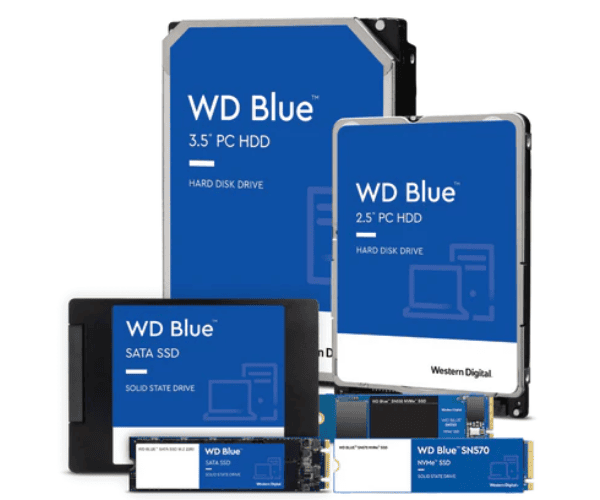
About WD WDS100T3B0E-00CHF0 1TB Blue SN580 NVMe Server SSD
The WD WDS100T3B0E-00CHF0 1TB Blue SN580 NVMe Server SSD is a high-speed, long-lasting, energy-efficient storage drive for pros and enthusiasts. Equipped with the newest PCIe Gen4 technology, it boasts lightning speed read and write speeds, making it perfect for servers, gaming PCs, and performance computers.
WD WDS100T3B0E-00CHF0 1TB Blue SN580 NVMe Server SSD in BD
The WD WDS100T3B0E-00CHF0 Blue SN580 NVMe Server SSD is being made available throughout Bangladesh by top local retailers and online stores. Highly competitive price, with very high performance, it is the best pick for amateur and professional users looking to upgrade. Ideal for system responsiveness, boot time, and file loading time improvement.
User Experience of WD WDS100T3B0E-00CHF0 1TB SN580 NVMe Server SSD
Buyers of the The WD WDS100T3B0E-00CHF0 1TB Blue NVMe Server SSD constantly provide feedback about the smooth and fast computing experience. For gaming, content creation, or servers, the SSD offers equal performance, rapid loading, and quietness. It is also quiet when under load, which ensures it lasts longer.
Why to Choose WD WDS100T3B0E-00CHF0 1TB Blue NVMe Server SSD
The WD 1TB Blue SN580 NVMe Server SSD is built with strength and performance. It has PCIe Gen4 for faster performance, supports demanding workloads, and includes Western Digital quality—leading global brand in storage solutions. The highlight: it's budget-friendly fast for those looking for reliability without sacrificing.
Key Features
- PCIe Gen4 NVMe interface that offers level-up performance
- Huge 1TB capacity built for games, applications, and large files
- 3D NAND for more endurance and power efficiency
- Up to 4150MB/s read and up to 4000MB/s write speeds
- M.2 2280 small form factor
- Quiet, cool, and power-efficient performance
- Supports a broad range of operating systems
How to Maintain WD WDS100T3B0E-00CHF0 1TB Blue SN580 NVMe Server SSD?
To keep the Western Digital WDS100T3B0E-00CHF0 Blue SN580 NVMe Server SSD in good condition at all times:
- Use a UPS to prevent power loss damage
- Maintain SSD drivers and system firmware updated
- Monitor SSD health using WD Dashboard software
- Provide proper ventilation and system cleanliness
- Prevent frequent writing of big files to extend life
Installation Steps
- Shut down your laptop or PC and remove the power cord
- Open the system case or back panel
- Locate the M.2 PCIe slot on the motherboard
- Put WD WDS100T3B0E-00CHF0 1TB Blue NVMe Server SSD into the slot at a 30-degree angle
- Slide it in and screw it down slowly
- Power off, close the case, and apply power
- Boot the system, format the drive, and load your software or OS
Where It Can Be Used?
- Gaming systems with fast storage.
- Business and office desktops.
- Workstations for content creation.
- High workload servers.