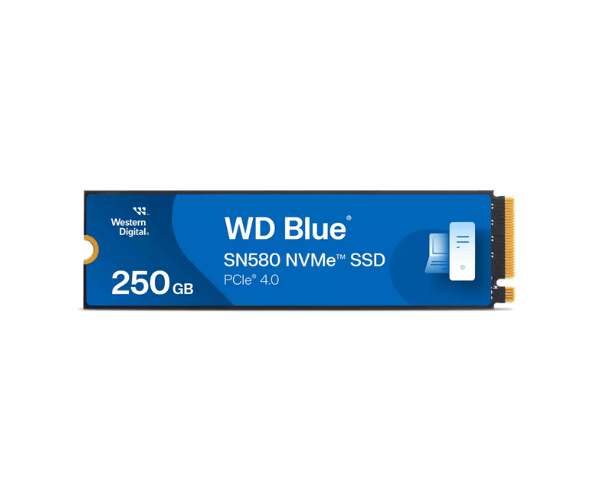
About WD WDS250G3B0E-00CHF0 250GB Blue SN580 NVMe Server SSD
The WD WDS250G3B0E-00CHF0 250GB Blue SN580 NVMe Server SSD delivers top performance, reliability, and value in storage for workstations and servers. Its PCIe Gen4 interface makes it ideal for a small M.2 SSD as a boot drive or primary storage in small-to-medium enterprise applications with the need for rapid and consistent access to data.
WD WDS250G3B0E-00CHF0 250GB Blue SN580 NVMe Server SSD in BD
The WD WDS250G3B0E-00CHF0 Blue SN580 NVMe Server SSD is easily available in local computer stores and online retailers in Bangladesh. WD 250GB Blue SN580 NVMe Server SSD is suitable for SMB IT installations and server builders and is prized for performance as well as affordability. It is readily available in Dhaka, Chittagong, Rajshahi, and other large cities.
User Experience of WD WDS250G3B0E-00CHF0 250GB Blue NVMe Server SSD
The WD 250GB Blue SN580 NVMe Server SSD is customer favorite because it provides rapid boot times, rapid app launch, and power-smart performance. It runs cool, takes a minute to install, and delivers consistent performance for home servers or office desktops. It is also the choice when breathing new life into existing systems with limited space.
Why Choose The WD WDS250G3B0E-00CHF0 250GB Blue SN580 NVMe Server SSD?
Choose the WD WDS250G3B0E-00CHF0 250GB Blue SN580 Server SSD for an affordable, high-performance, and robust solution for your server or PC. Its future-proof speed is assured with its PCIe Gen4 interface, and its low power consumption along with its endurance ensure that it's an excellent choice for long-term use in a small office or enterprise setup.
Key Features
- 250GB NVMe SSD with PCIe Gen4 x4 interface
- Blistering-fast read speeds up to 4150MB/s
- Small M.2 2280 form factor to fit easily in most systems
- Low power consumption for power-efficient operation
- High endurance up to 150TBW for prolonged service life
- Optimized for system boot, application storage, or light server workloads
- Western Digital Dashboard support for tracking drive health
How to Maintain WD WDS250G3B0E-00CHF0 250GB Blue SN580 Server SSD?
It is easy to keep the Western Digital WDS250G3B0E-00CHF0 Blue SN580 NVMe Server SSD:
- Track drive health using Western Digital Dashboard software.
- Update the firmware from time to time as and when available.
- Provide internal ventilation to the system to avoid overheating.
- Back up your data to cloud or external drives on a regular basis.
- Avoid allowing the SSD to work at its full capacity for maximum life expectancy.
Installation Steps
- Switch off and shut down your computer.
- Open the cover and locate the M.2 slot on the motherboard.
- Slide in the SSD into the M.2 slot at an angle of 30 degrees.
- Press it down and secure it with the mounting screw.
- Boot into the system and enter BIOS to verify detection.
- Format and partition the SSD using your OS software.
- Install applications or use it as your boot drive.
Where It Can Be Used?
- Entry-level servers.
- Office desktops and workstations.
- Mini PCs and SFF builds.
- Network attached storage (NAS).
- Virtual machine hosting (light use).
- Point of sale (POS) systems.
- Education and business IT deployments.