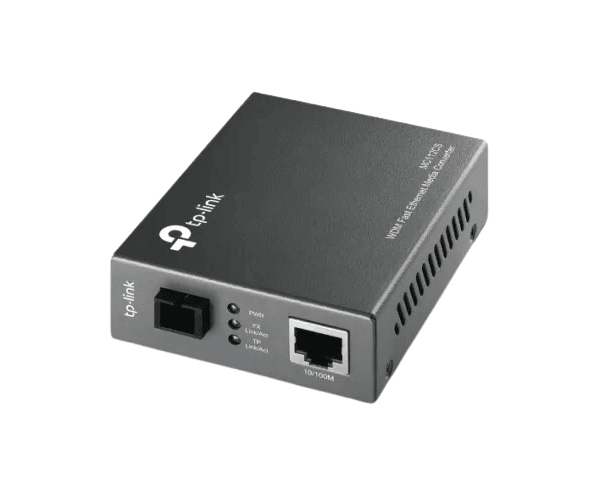
The
TP-Link MC112CS 10/100Mbps WDM Media Converter enables smooth integration between fiber and copper networks. It supports both single-mode and multi-mode fiber connections, making it an ideal solution for long-distance data transmission with a reliable 10/100 Mbps connection.
Specification
| Feature |
Details |
| Brand |
TP-Link |
| Model |
MC112CS |
| Media Converter Type |
10/100 Mbps WDM |
| Ports |
1x 10/100 Mbps Ethernet port |
| Fiber Port |
1x SC fiber port (Single-mode or Multi-mode) |
| Power Supply |
5V DC, 1A |
| Compatibility |
IEEE 802.3u Fast Ethernet |
| Dimensions |
95 x 65 x 26 mm |
| Operating Temperature |
0°C to 50°C |
| Fiber Type |
WDM (Wavelength Division Multiplexing) |
| Fiber Mode |
Single-mode or Multi-mode |
Description
TP-Link MC112CS 10/100Mbps WDM Media Converter in BD
The
TP-Link MC112CS 10/100 Mbps WDM Media Converter bridges copper and fiber networks, providing high-speed data transmission over long distances. Supporting both single-mode and multi-mode fiber, it offers flexibility and reliable connectivity for both home and office networks.
User Experience
Users of the
TP-Link MC112CS 10/100Mbps benefit from its simple setup and high-performance capabilities. The plug-and-play design eliminates the need for complex configurations, making it easy for even non-technical users to install. Its ability to seamlessly convert Ethernet signals to fiber ensures a stable and reliable connection over long distances, which is critical for extending network reach in larger areas. Customers appreciate its compact form factor and energy efficiency, making it a great solution for both residential and commercial applications.
Why Choose the TP-Link MC112CS 10/100Mbps Media Converter?
- Easy Installation: The plug-and-play setup ensures a hassle-free experience.
- Reliable Fiber Connectivity: Supports both single-mode and multi-mode fiber for flexible network expansion.
- Cost-Effective Solution: Extends network reach without the need for costly infrastructure upgrades.
- Energy Efficient: Low power consumption ensures sustainable use in office or home networks.
- Compact Design: The small form factor is perfect for tight spaces and rack installations.
Installation Steps
- Unbox the Device: Open the package and verify all components.
- Connect Fiber: Attach the fiber optic cable to the SC fiber port.
- Connect Ethernet: Plug the Ethernet cable into the 10/100 Mbps Ethernet port.
- Power On: Connect the media converter to the power source (5V DC, 1A).
- Check Indicators: Confirm that the LED indicators show proper power and connectivity.
- Test Connectivity: Perform a connectivity test to ensure data transmission is functioning correctly.
What is the Price of the TP-Link MC112CS 10/100Mbps WDM Media Converter in Bangladesh?
TP-Link for Set prices in Bangladesh vary by features and models. Crystal Vision Solutions offers high-quality options like the TP-Link MC112CS 10/100Mbps WDM Media Converter at the latest price, ensuring top performance, reliability, competitive pricing, and professional service to meet diverse business needs efficiently.