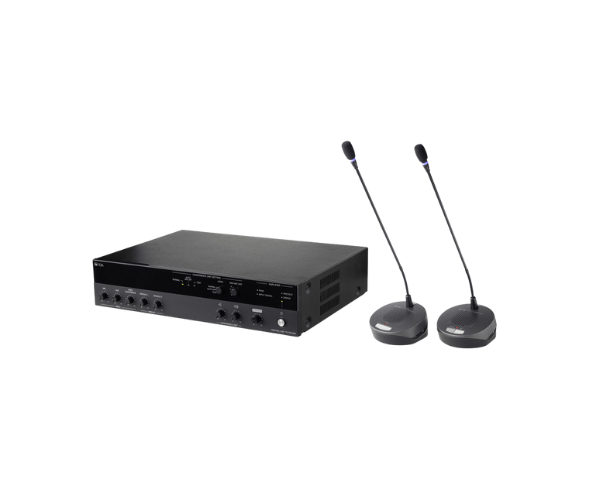
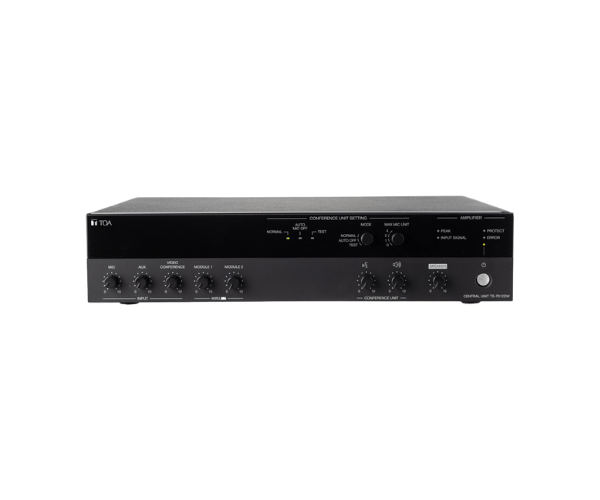
About of Toa TS-7912DW Central Conference
The Toa TS-7912DW Central Conference System ensures that conference audio communications are truly professional and efficient. With its advanced digital features, user-friendly interface, and sleek design, it is suitable for modern corporate, government, and educational settings.
Specification
| Feature |
Details |
| System Type |
Central conference control unit |
| Frequency Range |
100 Hz – 16 kHz |
| Connectivity |
Wireless and wired compatibility |
| Power Supply |
AC 100–240V, 50/60 Hz |
| Communication Range |
Up to 30 meters |
| Audio Channels |
Multi-channel support |
| Dimensions |
430 mm × 90 mm × 350 mm |
| Weight |
4.5 kg |
Description
Toa TS-7912DW Central Conference System in BD
The Toa TS-7912DW Conference System is a new way to hold conferences with crystal-clear audio and reliable control, no matter the size. Its wireless capability ensures that, along with multi-channel audio support, it is ideal for dynamic conference environments, making the communications seamless and professional.
User Experience
Users love the ease of integration with the Toa TS-7912DW Conference System and clarity of audio delivery. Additional wireless compatibility boosts flexibility in application, making quick and easy connections through many different meeting configurations. Intuitive controls keep users without advanced technical knowledge successfully operating the system, while solid construction provides years of quality service. The ability to manage several microphones and channels keeps meetings organized, professional and productive.
Why Choose the Toa TS-7912DW Central Conference?
- High-Quality Audio: Provides distortion-free, audible communication.
- Wireless Flexibility: Allows for dynamic, flexible meeting sets.
- User-Friendly Design: Easy operation by intuitive controls.
- Reliable Performance: Built for consistent, long-term use.
- Sleek and modern look that complements any professional setting.
Installation Steps
- Unpack the Toa TS-7912DW Central Conference and verify that all parts are enclosed.
- Connect the unit by using an enclosed cable to a power source.
- Install wireless microphones or other wired devices, whichever the application requires.
- Adjust all settings related to audio channels and system preferences.
- Assess the system for functionality ensuring clear crisp audio.