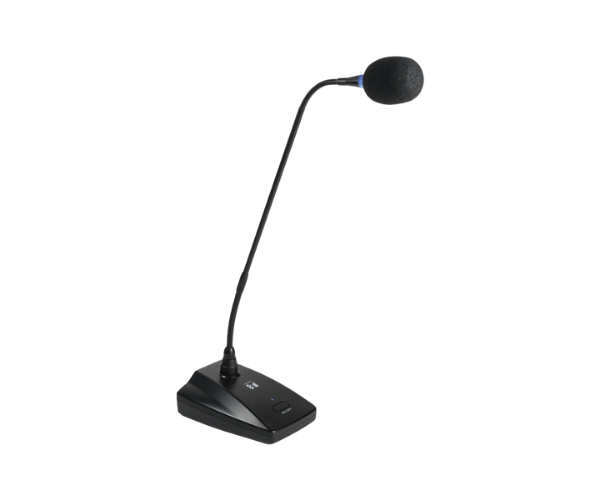
About of Toa EM380 Gooseneck Microphone
The Toa EM-380 Gooseneck Microphone is an excellent clear voice with a flexible neck that can be placed very precisely. Ideal for conferences, lectures, and public speaking, this microphone provides professional performance and reliability in every respect..
Specification
| Feature |
Details |
| Microphone Type |
Unidirectional Electret Condenser |
| Frequency Response |
60 Hz – 15 kHz |
| Sensitivity |
-40 dB ±3 dB (1 kHz, 1 Pa) |
| Impedance |
600Ω |
| Connector Type |
XLR-3-12 equivalent |
| Power Source |
Phantom Power (9V–52V DC) |
| Gooseneck Length |
380 mm |
| Weight |
Approximately 200g |
| Application Areas |
Lectures, conferences, meetings |
Description
Toa EM-380 Gooseneck Microphone in BD
The Toa EM-380 Goose-neck Microphone combines sleek design with high-performance audio technology. The engineering of this microphone is done to provide clarity and durability, making it perfect for professional use in places where clear speech is required, such as in lecture halls and conference rooms. Its gooseneck design allows for easy adjustment, ensuring user convenience.
User Experience
With the Toa EM-380 Goose-neck Microphone, clarity for every word is assured. Light, yet robust, the construction is for long life. The gooseneck is flexible, and positioning is easily adjustable. The microphone interfaces well with standard audio systems for ease of operation. Be it a boardroom or a classroom, the Toa Gooseneck Microphone raises the bar of communication to professional heights.
Why Choose the Toa EM-380 Microphone?
- Superior audio clarity for professional-grade sound.
- Articulated gooseneck for precise positioning.
- Durable and lightweight for long life.
- Easy integration into existing audio setup.
- Reliable phantom power operation assures consistent performance.
Installation Steps
- Connect the Toa EM-380 Microphone to a compatible audio system using the XLR connector.
- The microphone must be powered through the phantom power (9V–52V DC) supplied.
- Adjust the gooseneck for best capture of speech.
- Test the sound quality and make adjustments if needed.
- Fasten the base and ensure proper cable management.