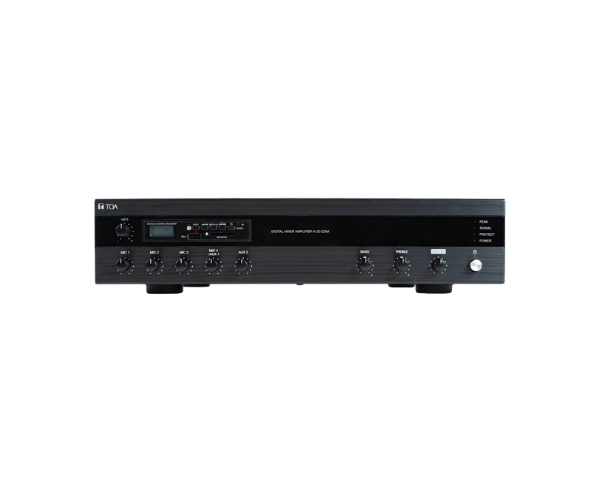
About of Toa A-3248D Digital Mixer Amplifier
The
Toa A-3248D Digital Mixer Amplifier offers superior sound performance with advanced digital signal processing. It features multiple input channels, flexible controls, and excellent power output, making it ideal for a variety of commercial and residential audio applications.
A-3248D Digital Mixer Amplifier in BD
The
Toa A-3248D Digital Mixer Amplifier is designed to deliver high-quality audio with excellent flexibility and ease of use. With 8 input channels, tone control, and multiple output options, this amplifier is ideal for a range of applications, from public address systems to professional audio setups. Its durable build and advanced features ensure reliable performance in any environment.
User Experience
Users of the
Toa A-3248D Digital Mixer appreciate its user-friendly interface and powerful performance. The versatile input options allow easy integration with microphones, musical instruments, and audio devices. With its 3-band equalizer, users can fine-tune sound quality, ensuring optimal audio delivery for any event. The built-in digital signal processor enhances sound clarity, even in large, noisy environments. Customers find it easy to install and configure, making it a popular choice for venues like schools, auditoriums, and houses of worship.
Why Choose the Toa A-3248D Digital Mixer Amplifier?
- Versatile Input Options: Supports 8 mic/line inputs and 2 AUX inputs, allowing for a wide range of audio sources.
- High Power Output: 240W RMS (4Ω) provides ample power for medium to large-sized venues.
- Digital Signal Processing: Includes built-in DSP for improved sound quality and clarity.
- Tone Control: 3-band equalizer allows users to customize sound settings for any environment.
- Multiple Output Options: Choose from 4Ω, 8Ω, or 100V line outputs to fit various sound system configurations.
Installation Steps
- Choose an Installation Location: Select an appropriate space to install the Toa A-3248D Amplifier, ensuring proper ventilation.
- Mount the Amplifier: Secure the amplifier on a flat surface, such as a rack mount or a shelf.
- Connect Audio Sources: Use the input channels to connect microphones, instruments, or audio sources.
- Connect Output: Connect the amplifier’s output terminals to the speakers, choosing the appropriate impedance (4Ω, 8Ω, or 100V line).
- Power On and Test: Connect the power supply, switch the amplifier on, and test the audio output, adjusting the tone control settings as needed.
- Fine-tune: Use the 3-band equalizer to fine-tune the sound quality based on your preference and the acoustics of the room.