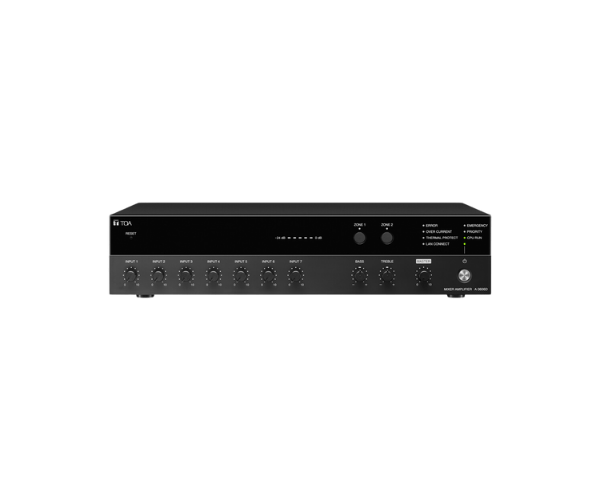
About of Toa A-3606D Digital Mixer Amplifier
The
Toa A-3606D Digital Mixer Amplifier offers high-quality audio mixing and amplification in one reliable device. Designed for professional settings, it provides clear, powerful sound and versatile input options, making it ideal for both small and large audio systems.
A-3606D Digital Mixer Amplifier in BD
The
Toa A-3606D Digital Mixer Amplifier is a top-tier audio solution that integrates digital mixing and amplification. Its ability to manage multiple input channels with high-quality output ensures clear and distortion-free audio in any setting. This versatile amplifier is ideal for professional use in conferences, public spaces, and audio installations.
User Experience
The
Toa A3606D Mixer Amplifier stands out for its ease of use and exceptional sound quality. Users enjoy its intuitive controls and multiple input options, making it suitable for a wide range of applications, from public address systems to small performances. The digital signal processing ensures minimal distortion and crisp audio, while the compact design allows for easy installation in various environments. Overall, it’s a reliable amplifier that delivers professional-grade sound in any setting.
Why Choose the Toa A-3606D Digital Mixer Amplifier?
- High Power Output: Delivers 60W at 8Ω and 120W at 4Ω, ideal for both small and large spaces.
- Versatile Input Options: Supports 6 Mic/Line inputs and 2 AUX inputs for diverse audio setups.
- Clear Audio: Offers a wide frequency response (50 Hz - 20 kHz) for detailed, high-fidelity sound.
- Compact Design: Easy to integrate into various sound systems without taking up too much space.
- Reliable Performance: Low total harmonic distortion and high signal-to-noise ratio for professional sound quality.
Installation Steps
- Choose an appropriate location for the Toa A-3606D Amplifier, ensuring easy access to inputs and outputs.
- Mount the amplifier securely in a rack or on a shelf to ensure stability during operation.
- Connect the input devices (microphones, instruments, etc.) to the respective inputs on the amplifier.
- Connect the output terminals to the speakers, adjusting impedance for optimal sound quality.
- Power on the device and adjust the input levels and output settings according to your needs.
- Test the system for audio clarity and adjust the tone and volume controls to achieve the desired sound.