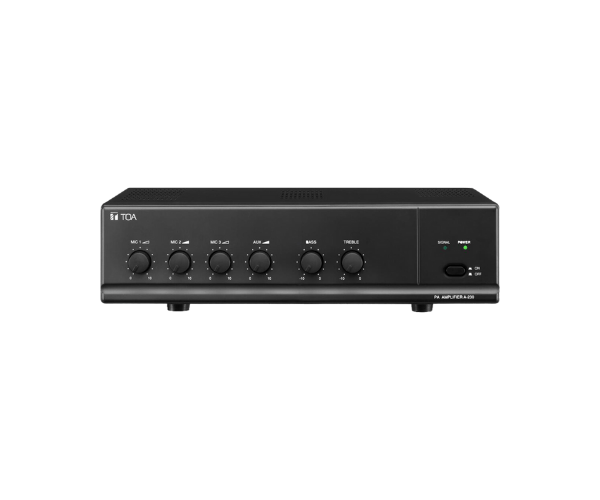
About of Toa A-230 Mixer Power Amplifier
The Toa A-230 Mixer Power Amplifier is an excellent solution to amplify the needs of any public address and background music system. It is fitted with a 30-watt power output and is equipped with various input options, hence making it quite compact in providing superior sound to small and medium spaces. Ideal for businesses, schools, and community centers.Toa A-230 Mixer Power Amplifier in BD
The Toa A230 Mixer Power Amplifier is designed to provide a clear and reliable sound in a wide variety of applications. Compact, simple, and with 30W output, this audio mixer is ideal for voice and music amplification and applications such as schools, offices, small auditoriums, and retail spaces due to its multiple input varieties.
User Experience
Users of the
Toa A-230 Mixer appreciate its user-friendly design and reliable performance. It allows for seamless connection to microphones and audio sources, with simple controls to adjust volume, bass, and treble. The amplifier’s consistent audio quality makes it an ideal choice for small venues, enhancing speech clarity and background music. The compact size and lightweight nature make it easy to install and transport. Whether used for presentations or background audio, the
Toa A-230 ensures smooth, distortion-free performance.
Why Choose the Toa A-230 Mixer Amplifier?
- High-Quality Sound: Provides clear, reliable audio for both speech and music.
- Compact Design: Ideal for small to medium-sized spaces without compromising on power.
- Flexible Input Options: Features multiple mic and auxiliary inputs for versatility.
- User-Friendly Controls: Easy-to-adjust volume, bass, and treble settings for customized sound.
- Durability: Built to last with a rugged design for long-term, consistent performance.
Installation Steps
- Unbox the Toa A-230 Mixer Amplifier and place it on a flat, stable surface.
- Connect microphones and other audio sources to the designated input channels.
- Attach the amplifier to speakers using appropriate speaker cables.
- Plug the amplifier into a power outlet and turn it on.
- Adjust the volume, bass, and treble settings as per the environment.
- Test the system by playing audio through the amplifier and adjust settings to achieve optimal sound quality.