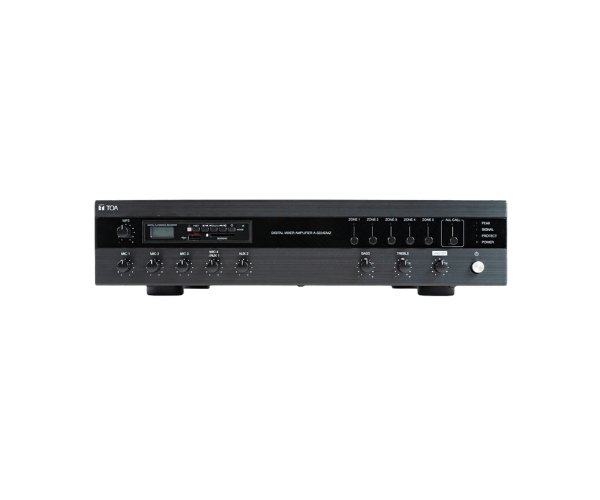
About of Toa A-3224DMZ Digital Mixer Amplifier with MP3 and Zones
The
Toa A-3224DMZ Digital Mixer Amplifier with MP3 and Zones is a versatile and powerful solution for commercial sound systems. It offers multiple zones, MP3 playback, and easy control, providing high-quality audio performance for businesses, events, and public venues.
A-3224DMZ Digital Mixer Amplifier with MP3 and Zones in BD
The
Toa A-3224DMZ Digital Mixer Amplifier with MP3 and Zones offers a complete audio solution with 4-zone control, MP3 playback support, and excellent sound quality. This mixer amplifier is perfect for public address systems, events, and venues that require flexible and powerful audio management.
User Experience
The
Toa A3224DMZ Digital Mixer Amplifier with MP3 and Zones is highly praised for its ease of use and powerful features. Users enjoy seamless MP3 playback, making it ideal for background music during events. The zone control feature allows for different volume settings in various areas, providing flexibility for large spaces. The device’s intuitive controls and reliable sound performance make it a go-to choice for businesses and public spaces. Whether you're using it for a conference, retail store, or auditorium, the amplifier ensures consistent, high-quality sound.
Why Choose the Toa A-3224DMZ Digital Mixer Amplifier with MP3 Zones?
- Multiple Zones: Control audio levels in up to 4 different areas independently, providing tailored sound for each zone.
- MP3 Playback: Built-in MP3 player supports audio files for background music and announcements.
- High-Quality Audio: Delivers clear, distortion-free sound with a wide frequency response.
- Flexible Connectivity: Includes mic/line and AUX inputs for versatile usage in various environments.
- User-Friendly: Simple interface and controls make it easy for users to operate, even without technical expertise.
Installation Steps
- Choose an appropriate location for the Toa A-3224DMZ Mixer Amplifier with MP3 and Zones based on your venue’s needs.
- Mount the amplifier securely in a rack or suitable location with proper ventilation.
- Connect the microphone and other input sources to the appropriate mic/line or AUX inputs on the amplifier.
- Use the zone control settings to assign audio output to different areas of your venue.
- Connect the amplifier’s output to speakers and adjust the volume settings for each zone.
- For MP3 playback, load your audio files onto a compatible USB drive or SD card, then connect it to the amplifier.
- Power on the amplifier, test audio output, and adjust settings as necessary for optimal sound performance.