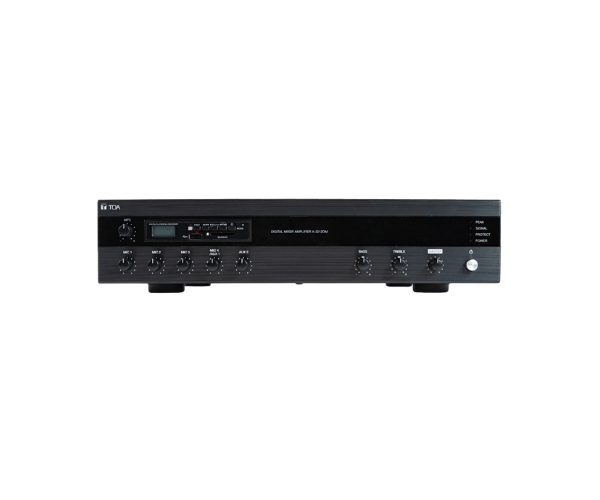
About of Toa A-3212DM Digital Mixer Amplifier with MP3
The
Toa A-3212DM Digital Mixer Amplifier with MP3 offers exceptional sound quality with built-in MP3 support. Ideal for public address systems, it combines a powerful amplifier with versatile digital mixing capabilities, making it perfect for various professional applications.
A-3212DM Digital Mixer Amplifier with MP3 in BD
The
Toa A-3212DM Digital Amplifier with MP3 is a versatile and powerful device designed for use in a variety of settings, including schools, auditoriums, and public address systems. It combines a digital mixer with MP3 functionality for easy, high-quality audio playback. Its advanced features ensure reliable performance, making it a go-to choice for professionals.
User Experience
Users appreciate the
Toa A-3212DM Digital Amplifier with MP3 for its intuitive interface, which simplifies the mixing and amplification process. The built-in MP3 player adds a layer of convenience, allowing seamless audio playback via USB or SD card. Its flexibility in input options makes it easy to connect microphones, instruments, and other audio sources. Whether for speeches, presentations, or events, the
Toa A-3212DM Digital MP3 delivers crystal-clear audio with powerful output. The device is easy to install and operate, making it a preferred choice for both beginners and experts alike.
Why Choose the Toa A-3212DM Digital Mixer Amplifier with MP3?
- Built-in MP3 Playback: Play MP3 files directly from USB or SD cards for enhanced functionality.
- Clear, High-Quality Audio: Offers superior sound with adjustable tone control for optimal sound quality.
- Versatile Input Options: Equipped with 6 mic/line inputs and 2 AUX inputs to handle a variety of audio sources.
- User-Friendly Design: The intuitive controls make it easy to adjust settings and ensure smooth operation.
- Durable and Reliable: Built to withstand long hours of operation, making it perfect for professional settings.
Installation Steps
- Select a suitable location for the Toa A-3212DM Digital Mixer Amplifier in your sound setup.
- Mount the amplifier securely on a rack or flat surface.
- Connect the input sources (microphones, instruments, or audio devices) to the respective mic/line and AUX inputs.
- Plug in the power cable and turn the unit on.
- Insert your USB drive or SD card to play MP3 files.
- Adjust the volume and tone controls for optimal sound.
- Test the system by playing audio through various inputs to ensure proper functionality.