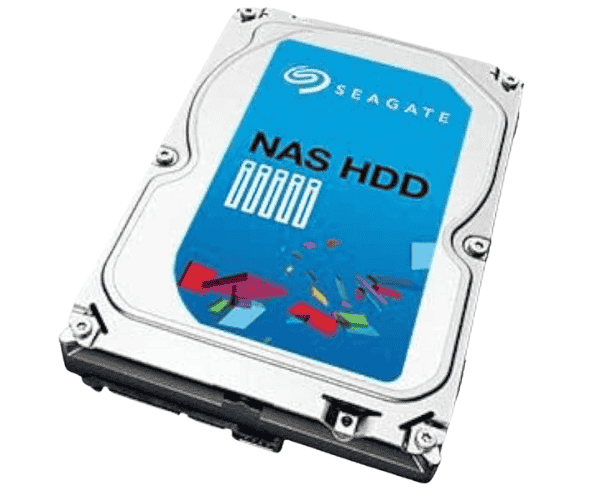
About of Seagate NAS ST1000VN000 1 TB 3.5 '' NAS SATA HDD
The Seagate NAS ST1000VN000 1TB 3.5" NAS SATA HDD is designed to provide reliable, high-performance storage for NAS systems. With 1TB capacity, 7200 RPM speed, and optimized for 24/7 operation, it ensures data integrity and efficient performance for your business or home network.
Seagate NAS ST1000VN000 1TB 3.5 '' NAS SATA HDD in BD
This Seagate NAS ST1000VN000 1TB 3.5 NAS HDD is all set to serve individual or corporate needs impressively with well-performing NAS systems. The industry's high-capacity storage, better reliability, speed, and performance are very much expected here. With 1TB of capacity, your data is made secure for personal use and in the office very accessible.
User Experience
Users have found this Seagate NAS ST1000VN000 1 TB NAS SATA HDD to perform exceptionally well under small to medium NAS. The speeds at 7200 RPM would allow fairly quick access to data; the same can be said for the 64MB cache that augments general efficiency. You won't hear a thing while running and stays cool even under heavy loads. Installation is elementary. Compatible for a multitude of NASs, 24/7 reliability is appreciated by users for application at home and the office.
Why Choose the Seagate NAS ST1000VN000 1TB NAS SATA HDD?
The Seagate NAS ST1000VN000 1TB 3.5'' NAS SATA HDD is built for harsh environments and so can count as reliable both at home and work. High speed of 7200RPM makes this cost-effective HDD faster in data transfers. And its 64MB cache accelerates efficiency in systems. Built specifically for heavy workloads that run 24/7, this HDD is designed for an NAS. It works great, whether you need to store huge amounts of data, running multi-users, or need something that allows you to save data very easily without worrying about it crashing. Reliability, performance, and energy efficiency make the Seagate NAS ST1000VN000 worth your investment.
Installation Steps
- Prepare Your NAS Enclosure: Open the enclosure of your NAS and locate the right slot for a 3.5-inch hard drive.
- Mount the Seagate NAS ST1000VN000: Insert the Seagate NAS ST1000VN000 1TB 3.5'' NAS HDD in the slot. A little pushing to get the drive seated should do the trick now that the connectors are aligned with the NAS interface.
- Screw the HDD Securely: If your NAS uses screws for its mounting, ensure to secure the drive firmly.
- Connect the Data and Power Cables: Connect the two cables-the SATA data cable and power cable-to their respective connectors on the Seagate NAS ST1000VN000.
- Power On the NAS: After making all the connections, switch your NAS device on. The drive should be recognized and ready for use.
- Format the HDD: In so far, prepare the Seagate NAS ST1000VN000 for storage using your NAS interface.