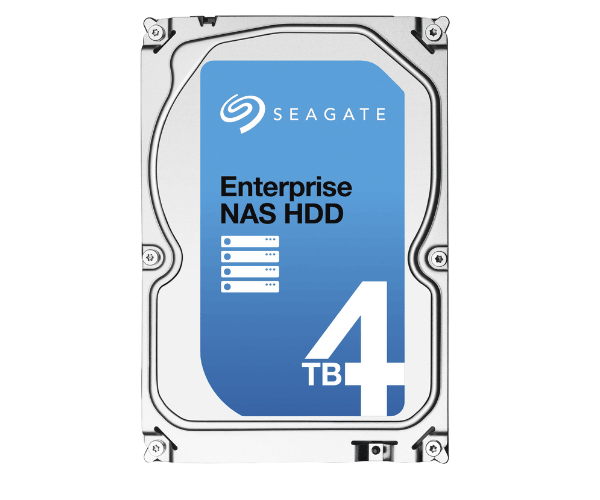
About of Seagate Enterprise NAS ST4000VN0001 4 TB 3.5 '' SATA HDD
The Seagate Enterprise NAS ST4000VN0001 4TB 3.5" SATA HDD is a high-performance, reliable hard drive built for NAS systems in business and professional environments. With 4TB storage, 7200 RPM speed, and optimized firmware, it ensures efficient data management, quick access, and long-lasting durability.
Seagate Enterprise NAS ST4000VN0001 4TB 3.5 '' SATA HDD in BD
The Seagate Enterprise NAS ST4000VN0001 4TB 3.5" SATA Hard Drive has been designed for high-end consumer applications intended for NAS deployment. A hasty performance of 7200 revolutions per minute affords smooth functioning and high-speed data transfer. The enterprise-grade HDD is optimized for 24/7 operation rendering it suitable for professional environments requiring high reliability and performance.
User Experience
The
Seagate Enterprise NAS ST4000VN0001 4TB 3.5" SATA HDD is the choice for anyone wanting to set up a NAS. Speedy at 7200 RPM, the drive is designed to give very smooth access to files, thereby enhancing workflow efficiency. An 128MB Cache allows quick access to data, great for handling big files and business applications. Moreover it is quite energy-efficient and operates silently, making it an excellent option for continuous use in NAS systems. With support for several users accessing the NAS without lag, this hard drive for enterprise or small business applications stands out as a top-grade workhorse by sturdiness and reliability.
Why Choose the Seagate Enterprise NAS ST4000VN0001 4TB HDD?
- High Storage Capacity-With 4TB of the space available, it is capable of holding enormous amounts of business data.
- Optimized for NAS-Designed for efficient operation in multi-bay NAS environments.
- Reliable 24/7 Operation-Capable of continuous operation in demanding environments.
- Fast Performance-7200 RPM speed and 128MB cache ensures quick access.
- Enterprise-Grade Durability-1.2 million hours MTBF for long service life.
Installation Steps
- Power Down Your NAS/PC-Confirm that the power is off prior to installation.
- Open the NAS/PC enclosure-Carefully take off the cover so that the drive bays are accessible.
- Insert the HDD-Put the Seagate Enterprise NAS ST4000VN0001 4 TB 3.5" SATA HDD in an available 3.5-inches drive bay.
- Secure the Drive-Use either screws or a drive tray to secure the HDD in place.
- Connect the SATA Cable-Connect the SATA data cable to your HDD and the motherboard.
- Connect the Power Cable-Plug the power connector from the power supply.
- Close the Cover-Replace the cover and secure it.
- Power ON & Format-Turn on the device, format the drive in NAS/PC settings.