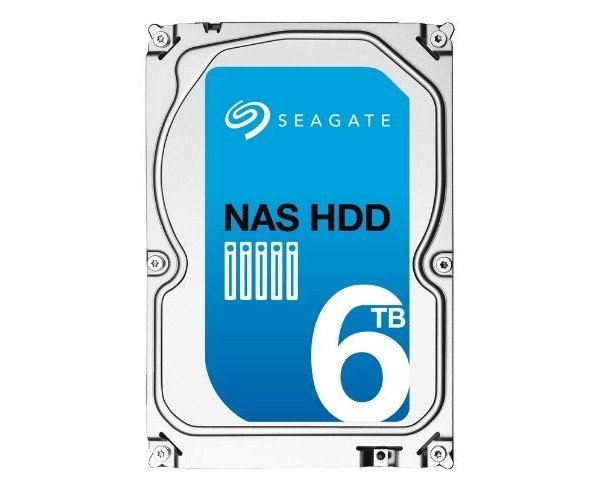
About of Seagate NAS ST6000VN0031 6TB 3.5" SATA Internal HDD
The Seagate NAS ST6000VN0031 6 TB 3.5" SATA Internal HDD is a powerful and reliable storage drive made for NAS systems. It delivers high-speed performance, longer uptime, and consistent data transfer for both personal and business users.
Seagate NAS ST6000VN0031 6 TB 3.5" SATA Internal HDD in BD
The Seagate NAS ST6000VN0031 6TB SATA Internal HDD was designed explicitly for the NAS environment. It performs multitasking seamlessly and is designed for heavy workloads. This drive is built for the advanced vibration resistance with low power consumption to par with 24×7 duty cycles in a personal or business environment NA.
User Experience
Using this Seagate NAS ST6000VN0031 6 TB 3.5 SATA Internal HDD makes you feel like an upgrade to your system's brain. Users get a Noiseless working storage with better cooling control. 6 TB is more than enough for all types of documents, backups, and templates. The store doesn't make noise, runs cool under heavy usage, and shows no signs of lag while transferring massive files. Whether setup in a home NAS or a small business server, this drive surely brings speed and stability to the system, allowing seamless file access and extremely easy data handling.
Why Choose the Seagate NAS ST6000VN0031 6TB 3.5" SATA Internal HDD?
Buying the
Seagate NAS ST6000VN0031 6 TB 3.5" SATA internal hard drive means you're investing in performance, reliability, and sensible storage. With its 128 MB cache for rapid transfer speeds and 5900 RPM for smooth operation, this drive has been designed to work best in 8-bay NAS systems with workload and media loads alike. Prolonged vibration sensors ensure steady performance even through long hours of work. Backing up data or streaming content with the
Seagate NAS ST6000VN0031 6 TB 3.5" Internal HDD delivers uninterrupted performance. It is an intelligent yet durable choice for reliable NAS storage.
Installation Steps
- Power off the NAS or PC before an installation.
- Open the case of your NAS/desktop to reach the drive bay.
- Insert HDD into the 3.5" drive slot.
- Secure the Drive with screws provided by the manufacturer.
- Connect SATA Cable from the HDD to the motherboard.
- Connect Power Cable from the power supply to the HDD.
- Close the Case and switch on your system.
- Format the Drive and assign it for NAS use through your operating system or NAS software.