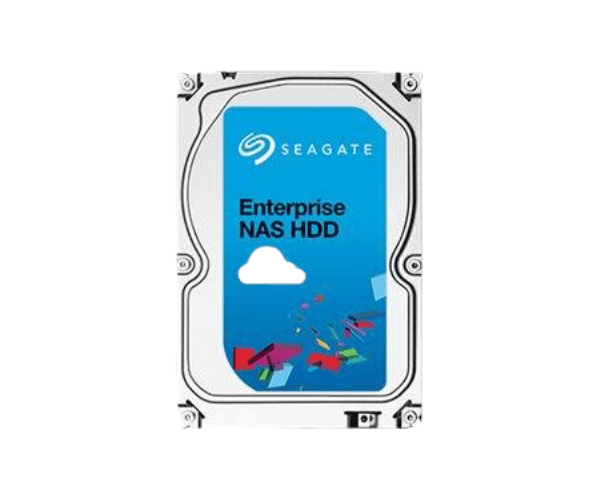
About of Seagate Enterprise NAS ST4000VN0011 4 TB 3.5 '' SATA HDD
The Seagate Enterprise NAS ST4000VN0011 4TB 3.5" SATA HDD is a high-performance storage solution designed for business and home NAS systems. With advanced reliability, fast data access, and robust durability, this hard drive ensures seamless operations for small and medium-sized enterprises.
Seagate Enterprise NAS ST4000VN0011 4TB 3.5 '' SATA HDD in BD
The very Seagate Enterprise NAS ST4000VN0011 4TB 3.5" SATA Hard Drive is touted to give convincing performance for any NAS systems requiring continuous operation. It is reliable and efficient, allowing high-speed data transfer, seamless scalability for multiple users accessing stored data concurrently. This hard drive improves work efficiency and reduces downtime, whether for business data storage, media servers, or backup solutions.
User Experience
Indeed, the
Seagate Enterprise NAS ST4000VN0011 4TB 3.5" SATA HDD becomes a storage solution by all accounts, being fully compatible with NAS environments. Again, thanks to its 7200 rpm and 128MB cache qualities, the transfer speed is very fast, even for large multimedia files. Minimum vibrations make this drive a quiet machine, making it ideal for both office and home settings. Easily tackles tasks of 180TB/year in the 1.2 million-hour MTBF rating. Energy efficiency design lowers the power consumption and makes it a cost-effective solution for businesses requiring large data storage.
Why Choose the Seagate Enterprise NAS ST4000VN0011 4TB 3.5" SATA HDDs?
- Reliable Performance – Designed for 24/7 NAS use with super high-speed data transfer.
- Enterprise-level Durability – Long-standing Reliability with a 1.2 Million Hour MTBF rating.
- High Storage Capacity – 4TB each will satisfy business and personal data needs.
- Optimized for NAS – Multi-user access allows almost no delay.
- Energy Efficiency – Low consumption of energy reduces all operational costs incurred over the years.
Installation Steps
- Before installation, switch off your NAS/computer system.
- Open the storage bay or HDD enclosure of your NAS/computer.
- Put the Seagate Enterprise NAS ST4000VN0011 4TB 3.5" SATA Hard Drive into an available drive slot.
- Fasten the HDD by means of screws or the in-depth mounting mechanism.
- Securely connect the SATA cable and the power cable.
- Seal the storage bay and turn on your system.
- Format and configure the drive using your NAS or OS settings.
- Start to store and manage your data efficiently.