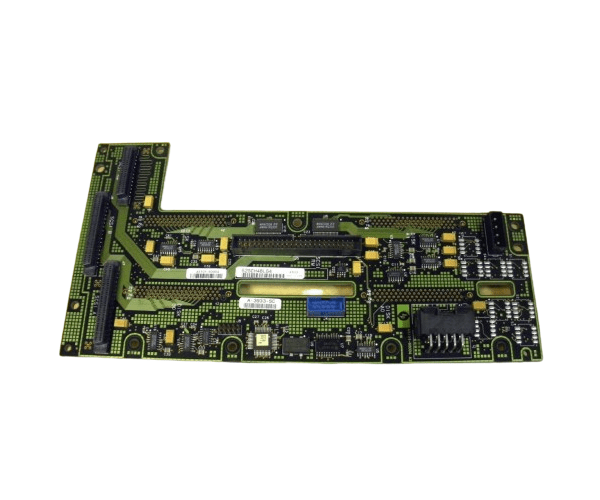
HP A5191-60004 DISK/MEDIA BACKPLANE L CLASS
The
HP A5191-60004 DISK/MEDIA BACKPLANE L CLASS is designed for efficient and reliable data management in HP L Class servers. This backplane provides essential connectivity for disk drives, enhancing the storage capacity and performance of your server. It is an integral component for maintaining high-performance server operations.
User Experience
Users of the HP A5191-60004 Disk Backplane L-Class report significant improvements in data management and server performance. The tool-free installation simplifies the setup process, while the backplane’s robust construction ensures reliable operation. It seamlessly integrates with HP L Class servers, providing a stable and efficient storage solution.
Why Choose the HP A5191-60004 Disk/Media Backplane L Class?
The is a superior choice for expanding and managing disk drives in
HP L Class servers. It offers reliable connectivity and easy installation, making it a valuable addition for enhancing server storage capacity. The HP A5191-60004 Disk Backplane L-Class ensures efficient and dependable performance, meeting the needs of demanding server environments.
Key Features
- Disk and Media Support: Accommodates various disk drives and media types for versatile storage solutions.
- Easy Installation: Tool-free design allows for quick and hassle-free setup.
- Reliable Performance: Ensures stable operation for critical data management.
- Durable Construction: Built to handle the demands of high-performance server environments.
- Compatible Design: Specifically engineered for HP L Class servers.
Installation Steps
- Power Down the Server: Turn off the HP L Class server and disconnect it from the power source.
- Open the Server Case: Remove the cover to access internal components.
- Locate the Backplane Slot: Identify the slot for the HP A5191-60004 Disk Backplane L-Class.
- Install the Backplane: Align and insert the backplane into the designated slot.
- Secure the Backplane: Ensure that the backplane is properly seated and connected.
- Connect Disk Drives: Attach the disk drives and media to the backplane.
- Close the Server Case: Replace and secure the server cover.
- Power On: Reconnect the server to the power source and turn it on.
- Verify Operation: Check that all connected drives are recognized and functioning correctly.