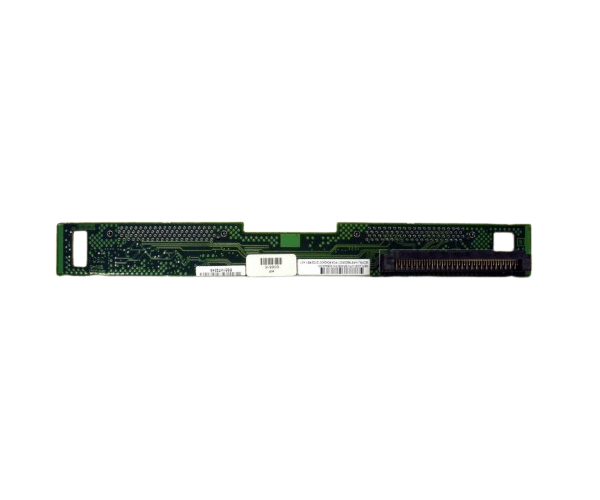
HP 305443-001 SCSI BACKPLANE BOARD DL360-G3
The
HP 305443-001 SCSI Backplane Board is a crucial component for the HP ProLiant DL360-G3 server. It provides a reliable interface for connecting SCSI hard drives, enhancing your server's storage capabilities and ensuring efficient data management. This backplane board is designed to optimize performance and reliability.
User Experience
Users appreciate the
HP 305443-001 SCSI Backplane Board for its easy installation and reliable performance. The tool-free design simplifies setup, while the backplane's robust build ensures stable and efficient operation for SCSI drives. Customers find it essential for enhancing their HP ProLiant DL360-G3 server’s storage and overall performance.
Why Choose the HP 305443-001 SCSI Backplane Board?
The
HP 305443-001 SCSI Backplane Board is an excellent choice for those needing to expand their HP ProLiant DL360-G3 server’s storage capabilities. It supports multiple SCSI drives, providing flexibility and increased capacity. Opting for the
HP 305443-001 SCSI Backplane Board ensures reliable data management and an optimized server performance.
Key Features
- Supports Multiple Drives: Accommodates up to six SCSI drives for expanded storage.
- Easy Installation: Tool-free setup for quick and hassle-free installation.
- Reliable Performance: Ensures stable and efficient operation for critical data management.
- Durable Construction: Built to withstand the demands of high-performance server environments.
- Compatible Design: Specifically designed for HP ProLiant DL360-G3 servers.
Installation Steps
- Power Down the Server: Turn off the HP ProLiant DL360-G3 server and disconnect it from the power source.
- Open the Server Case: Remove the cover to access internal components.
- Locate the Backplane Slot: Identify the slot for the HP 305443-001 SCSI Backplane Board.
- Install the Backplane: Align and insert the backplane board into the designated slot.
- Secure the Backplane: Ensure that the backplane is properly seated and connected.
- Connect Drives: Attach SCSI drives to the backplane.
- Close the Server Case: Replace and secure the server cover.
- Power On: Reconnect the server to the power source and turn it on.
- Verify Operation: Check that all connected SCSI drives are recognized and functioning correctly.