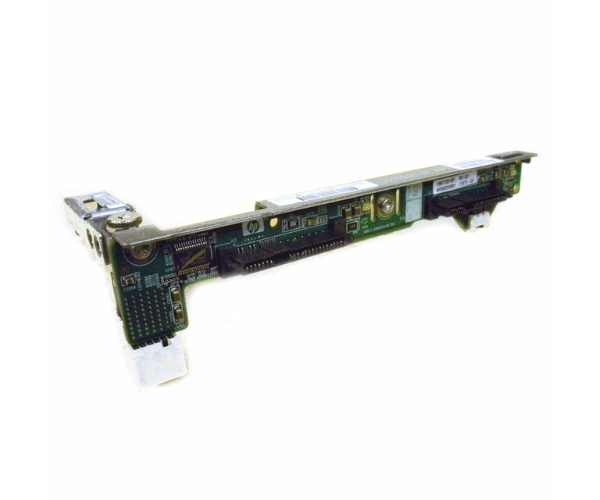
sHP 418270-001 SAS HDD Backplane for BL465c
The HP 418270-001 SAS HDD Backplane for BL465c is a crucial component designed to enhance storage capabilities in HP ProLiant BL465c servers. It provides reliable connectivity for SAS hard drives, ensuring efficient data management and increased performance. Ideal for server upgrades and storage expansions.
User Experience
The HP 418270-001 SAS Hard Disk Drive Backplane for BL465c is praised for its seamless integration and reliable performance in HP ProLiant BL465c servers. Users appreciate its straightforward installation process and robust design, which contribute to smooth operation and efficient data handling, enhancing overall server performance.
Why Choose the HP 418270-001 SAS Hard Disk Drive Backplane for BL465c?
The
HP 418270-001 SAS HDDs Backplane for BL465c is specifically designed for optimal compatibility with HP ProLiant BL465c servers. By supporting up to six SAS HDDs, it offers substantial storage capacity and efficient data management. Choosing the HP 418270-001 SAS HDDs Backplane for BL465c ensures a reliable and high-performance storage solution for your server needs.
Key Features
- High Capacity: Accommodates up to six SAS HDDs for ample storage.
- Compatibility: Engineered for seamless integration with HP ProLiant BL465c servers.
- Efficient Data Management: Enhances connectivity and performance for SAS HDDs.
- Durable Construction: Built to withstand various operating conditions.
- Easy Installation: Designed for straightforward and quick setup.
Installation Steps
- Power Down: Turn off the server and disconnect all power sources.
- Remove Old Backplane: Open the server chassis and carefully remove the previous backplane if present.
- Align New Backplane: Position the HP 418270-001 SAS HDD Backplane for BL465c into the mounting slots.
- Secure Backplane: Fasten the backplane using the provided screws.
- Install Drives: Insert your SAS Hard Disk Drive into the new backplane’s drive bays.
- Connect Cables: Attach the necessary data and power cables to the backplane.
- Reassemble Chassis: Close the server chassis and reconnect power.
- Verify Operation: Check that the server recognizes all connected drives and operates as expected.