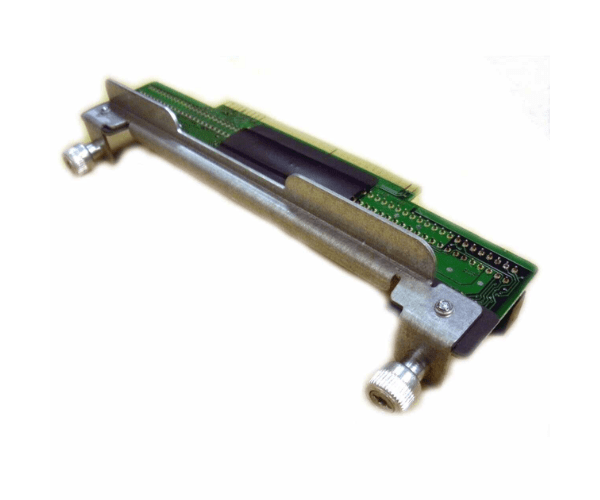
HP 407750-001 Power Supply Backplane for DL380 G5
The HP 407750-001 Power Supply Backplane for DL380 G5 is designed to provide reliable and efficient power distribution for HP ProLiant DL380 G5 servers. This essential component ensures stable operation and effective power management, supporting the server's performance and longevity.
User Experience
Users of the HP 407750-001 Power Supply Backplane report excellent reliability and performance. The backplane integrates seamlessly with the DL380 G5 server, providing consistent power distribution to support high-demand applications. Its robust design ensures stability and efficiency, making it a trusted component in server environments.
Why Choose the HP 407750-001 Power Supply Backplane ?
The
HP 407750-001 Power Supply Backplane is specifically designed for HP ProLiant DL380 servers, ensuring optimal compatibility and performance. It supports two power supply slots, providing reliable power distribution for stable server operation. Choosing the HP 407750-001 Power Supply Backplane ensures effective power management and enhanced server reliability.
Key Features
- Reliable Power Distribution: Supports two power supply slots for stable operation.
- Compatibility: Designed for HP ProLiant DL380 G5 servers.
- Efficient Performance: Ensures consistent power management for high-demand applications.
- Robust Design: Built to withstand demanding operating conditions.
- Seamless Integration: Fits perfectly into the DL380 G5 server chassis.
Installation Steps
- Power Down: Shut down the server and disconnect it from all power sources.
- Remove Old Backplane: Open the server chassis and carefully remove the existing power supply backplane if present.
- Align New Backplane: Position the HP 407750-001 Power Supply Backplane into the mounting slots.
- Secure Backplane: Fasten the backplane using the provided screws.
- Install Power Supplies: Insert your power supplies into the new backplane’s slots.
- Connect Cables: Attach the power cables to the backplane and ensure all connections are secure.
- Reassemble Chassis: Close the server chassis and reconnect power.
- Verify Operation: Power on the server and check that the power supply functions correctly and provides stable power.