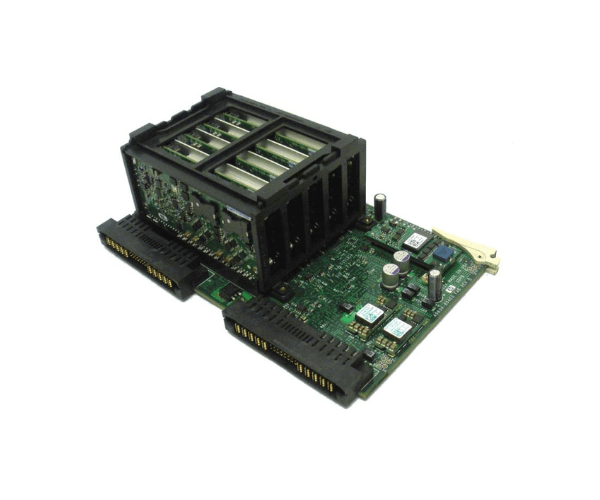
A9834-60403 A9834-69002 HP sx2000 Superdome Backplane Power Board SDPB6
The
A9834-60403 A9834-69002 HP sx2000 Superdome Backplane Power Board SDPB6 is a critical component for maintaining reliable power distribution in HP Superdome servers. Designed to ensure optimal performance and stability, this power board supports high-end computing environments with demanding power requirements.
User Experience
Users of the
A9834-60403 HP sx2000 Superdome Backplane Power Board SDPB6 appreciate its seamless integration and reliable performance. The board's robust design ensures consistent power distribution, reducing the risk of downtime in critical operations. Its plug-and-play installation makes it easy to upgrade or replace, minimizing disruption to the server environment.
Why Choose the A9834-60403 A9834-69002 HP sx2000 Backplane Power Board SDPB6 ?
The
A9834-60403 A9834-69002 HP sx2000 Backplane Power Board SDPB6 is essential for businesses that require stable and efficient power management in their HP Superdome servers. Its compatibility with HP sx2000 servers ensures that it meets the high standards of performance and reliability required in enterprise environments. By choosing this power board, you are investing in a component that guarantees optimal power distribution and system stability.
Key Features
- Reliable Power Distribution: Ensures consistent and stable power supply to HP Superdome servers.
- Seamless Integration: Compatible with HP sx2000 Superdome servers for optimal performance.
- Plug-and-Play Installation: Easy to install, reducing downtime and operational disruption.
- Robust Design: Built to withstand the demands of high-end computing environments.
- Manufacturer's Warranty: Comes with a warranty for added peace of mind.
Installation Steps
- Power Down the Server: Ensure the HP Superdome server is powered off and unplugged.
- Open the Server Case: Remove the server case to access the internal components.
- Locate the Power Slot: Identify the slot for the A9834-60403 A9834-69002 HP sx2000 Superdome Backplane Board.
- Insert the Power Board: Carefully align and insert the power board into the designated slot.
- Secure the Board: Fasten the power board with the provided screws to ensure it is securely in place.
- Connect Power Cables: Attach the necessary power cables to the board.
- Close the Server Case: Replace the server case and secure it.
- Power On: Plug in the server and power it on to complete the installation.
- Verify Operation: Check that the power board is functioning correctly and providing stable power.