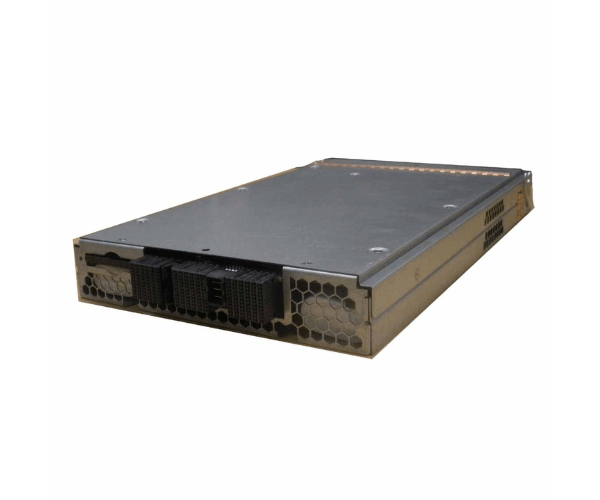
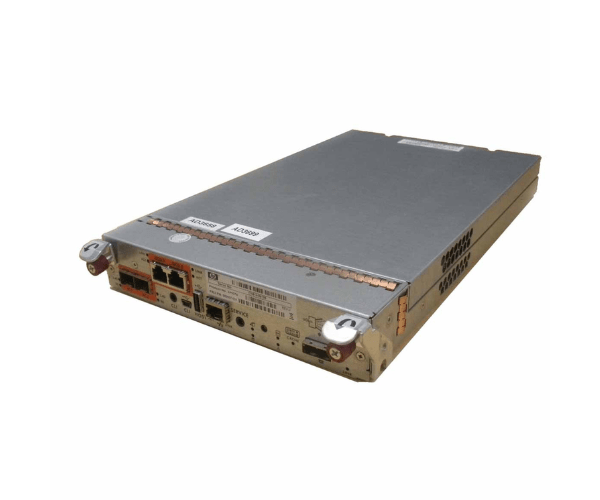
HP P2000 G3 FC/ISCSI Controller (582937-001)
The HP P2000 G3 FC/ISCSI Controller (582937-001) is a high-performance controller designed to enhance the connectivity and management of your HP P2000 G3 storage system. With support for both FC and iSCSI protocols, this controller offers flexibility and robust data handling capabilities, making it ideal for various enterprise storage needs.
User Experience
Users of the The HP G3 FC/ISCSI Controller 582937-001 have highlighted its impressive performance and versatility in managing storage systems. The controller provides seamless integration with HP P2000 G3 storage solutions, offering reliable and high-speed data transfers via both FC and iSCSI protocols. IT administrators appreciate the ease of configuration and the significant performance enhancements provided by the The HP 582937-001 G3 FC/ISCSI Controller . It is praised for its ability to handle demanding storage workloads efficiently, making it a valuable component for enterprise storage environments.
Why Choose the HP P2000 G3 FC/ISCSI Controller 582937-001?
The
HP 5829 37-001 G3 FC/ISCSI Controller is an excellent choice for enhancing your HP P2000 G3 storage system. This controller supports both Fibre Channel (FC) and iSCSI protocols, providing flexibility and high-speed connectivity for various storage needs. By choosing the The HP 582937-001 G3 FC/ISCSI Controller , you benefit from improved data transfer rates and reliable performance. Its compatibility with HP P2000 G3 storage systems and efficient power usage further enhance its value. For IT professionals seeking a reliable and high-performance controller, the The HP 582937-001 G3 FC/ISCSI Controller is a top choice.
Installation Steps
- Power down the HP P2000 G3 storage system and disconnect it from the power source.
- Open the storage system chassis following the manufacturer’s guidelines.
- Locate the existing controller card and carefully remove it by disconnecting any cables.
- Align the The HP P2000 G3 FC/ISCSI Controller with the designated slot in the chassis.
- Gently insert the controller into the slot, ensuring it is securely seated.
- Connect all necessary cables to the new controller.
- Close the storage system chassis and reconnect the power source.
- Power on the storage system and verify the successful installation by checking system diagnostics or management interface.