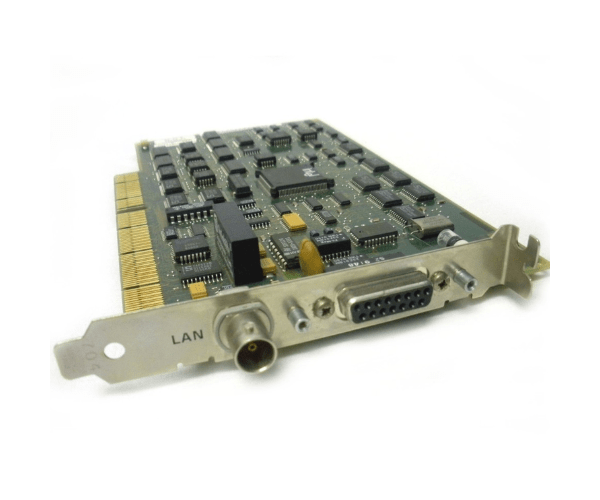
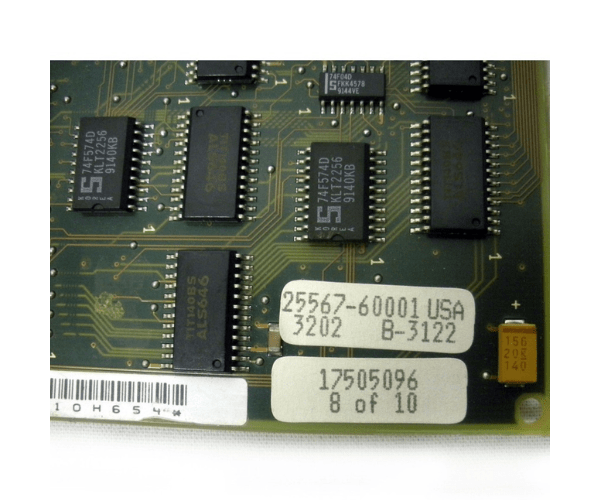
HP 25567-60001 25567-69001 25567A EISA Lan Host Adapter Card
The HP 25567-60001 25567-69001 25567A EISA LAN Host Adapter Card is designed to provide reliable and high-speed network connectivity for HP systems. With its EISA interface, the HP 25567-60001 adapter ensures smooth integration and efficient performance, making it ideal for enhancing network communication in various environments.
User Experience
Users of the HP 25567-60001 25567-69001 25567A EISA LAN Adapter Card appreciate its stable performance and ease of use. The card enhances network connectivity and supports high-speed data transfer, ensuring efficient communication between HP systems and network devices. The HP 25567-60001 adapter is recognized for its reliability and seamless integration into existing setups.
Why Choose the HP 25567A EISA LAN Adapter?
The
HP 25567-60001 25567-69001 25567A EISA LAN Adapter Card is a superior choice for users seeking dependable and high-performance network connectivity. Its EISA interface guarantees compatibility with HP systems, while its Ethernet capabilities support both 10 and 100 Mbps speeds. The HP 25567-60001 adapter stands out for its reliable performance and straightforward installation, making it a valuable addition to any HP network environment.
Key Features
- EISA Interface: Provides a reliable connection with HP systems.
- Ethernet Connectivity: Supports 10/100 Mbps network speeds for fast data transfer.
- Full-Height Design: Fits standard EISA slots for easy installation.
- Reliable Performance: Ensures stable and efficient network communication.
- RJ-45 Connector: Standard network connection for broad compatibility.
Installation Steps
- Power Down the System: Ensure the HP system is completely turned off before beginning installation.
- Open the System Chassis: Carefully open the chassis to access the EISA slots.
- Insert the Adapter: Locate an available EISA slot and insert the HP 25567-60001 25567-69001 25567A EISA LAN Adapter Card.
- Secure the Adapter: Ensure the adapter is firmly seated and properly secured in the slot.
- Close the Chassis: Reattach the system chassis cover and reconnect any cables that were disconnected.
- Power Up and Configure: Turn on the system and configure network settings using the operating system or network management tools.
- Verify Installation: Confirm that the HP Adapter Card is recognized and functioning correctly.