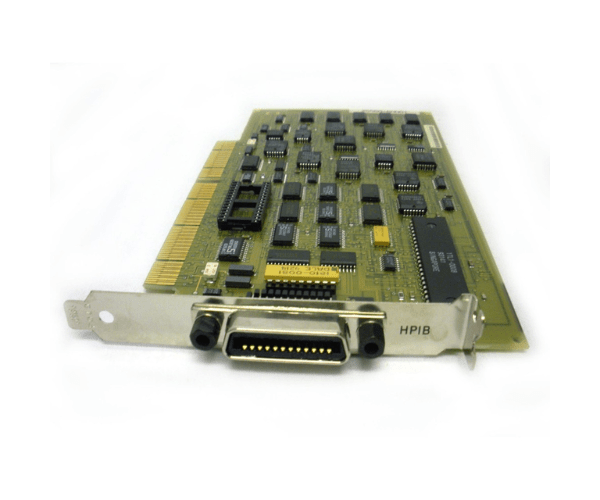
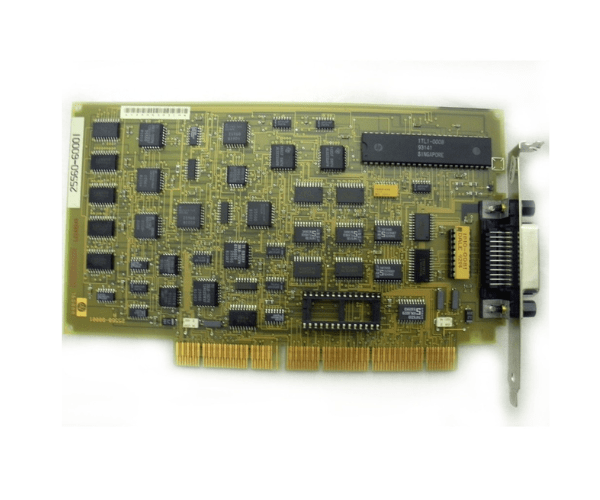
HP 25560-60001 HP-IB EISA Host Adapter Card
The HP 25560-60001 HP-IB EISA Host Adapter Card provides essential connectivity and control for HP systems. Designed for efficient communication and data transfer, the HP-IB EISA Host Adapter supports the IEEE-488 standard, making it ideal for integrating peripheral devices into your HP environment with ease.
User Experience
Users of the HP-IB EISA Host Adapter value its reliable performance and straightforward integration. The card simplifies the connection of HP systems to IEEE-488 peripherals, ensuring smooth data transfer and effective device control. The HP 25560-60001 adapter is praised for its stability and ease of use, enhancing overall productivity in various computing environments.
Why Choose the HP-IB EISA Host Adapter?
The
HP-IB EISA Host Adapter is an excellent choice for users needing robust and reliable communication between HP systems and IEEE-488 devices. Its EISA interface ensures compatibility with a wide range of HP equipment. Opting for the HP-IB EISA Host Adapter means investing in a proven solution that provides efficient peripheral integration and dependable performance.
Key Features
- EISA Interface: Provides a reliable connection for HP systems.
- IEEE-488 Standard: Supports the IEEE-488 standard for peripheral connectivity.
- Full-Height Design: Fits standard expansion slots for easy installation.
- High Compatibility: Works with a variety of HP systems and peripherals.
- Stable Performance: Ensures smooth data transfer and control.
Installation Steps
- Power Down the System: Ensure the HP system is completely turned off before starting the installation.
- Open the System Chassis: Carefully open the chassis to access the EISA slots.
- Insert the Adapter: Locate an available EISA slot and insert the HP-IB EISA Host Adapter.
- Secure the Adapter: Ensure the card is firmly seated and properly secured in the slot.
- Close the Chassis: Reattach the system chassis cover and reconnect any cables that were disconnected.
- Power Up and Configure: Turn on the system and configure the adapter settings as needed.
- Verify Installation: Confirm that the HP-IB EISA Host Adapter Card is recognized and functioning correctly.