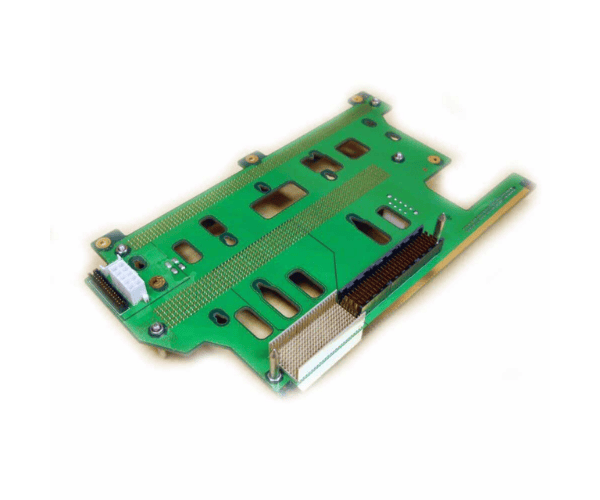
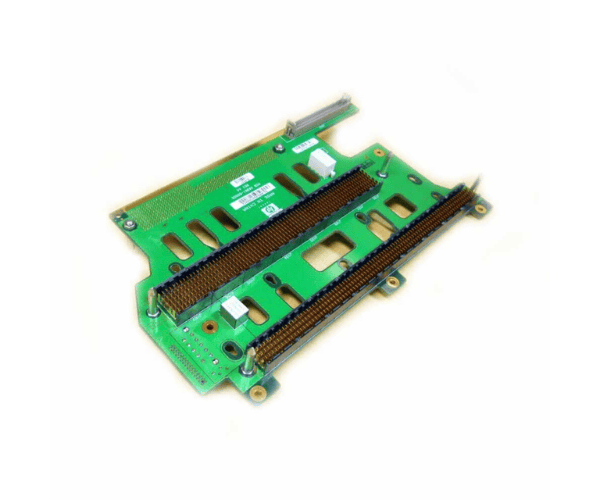
HP A6961-60005 Midplane Riser Board for RP/RX4XXX
The HP A6961-60005 Midplane Riser Board for RP/RX4XXX is a crucial component for expanding your HP RP/RX4XXX series servers. Designed to enhance connectivity and provide additional expansion options, the HP A6961-60005 Riser Board ensures efficient integration of new components, boosting the server's overall performance and capabilities.
User Experience
The HP A6961-60005 Riser Board for RP/RX4XXX is valued for its reliable performance and ease of installation. Users have reported that the HP A6961-60005 enhances their server's functionality by providing additional expansion slots, which is essential for accommodating new components and improving overall system efficiency. The riser board fits seamlessly into HP RP/RX4XXX servers, making the upgrade process straightforward and hassle-free. Users appreciate the HP A6961-60005 for its robustness and the added flexibility it brings to their server setups.
Why Choose the HP A6961-60005 Midplane Riser Board?
Selecting the
HP A6961-60005 Riser Board for the RP/RX4XXX Series is an excellent choice to boost your server’s performance and expand its capabilities. The HP A6961-60005 provides additional expansion slots, allowing you to integrate more components into your HP RP/RX4XXX series server. This riser board is designed specifically for these server models, ensuring a perfect fit and reliable performance. The HP A6961-60005 Midplane Riser Board supports your server’s growth and helps you meet increased demands with ease. Opting for the HP A6961-60005 ensures a smooth and effective expansion process.
Installation Steps
- Power Down the Server: Completely shut down the server and disconnect it from all power sources.
- Open the Server Chassis: The Remove This cover is to access the internal components of the server.
- Locate the Midplane Slot Area: Find the designated area where the midplane riser board will be installed.
- Install the Riser Board: Carefully insert the HP A6961-60005 Midplane Riser Board into the slot area, ensuring proper alignment.
- Secure the Riser Board: Fasten the riser board using any provided screws or brackets to ensure it is securely in place.
- Reassemble the Chassis: Replace and secure the server cover.
- Reconnect Power and Restart: Plug the server back in, power it on, and confirm that the new expansion slots are recognized and functioning.