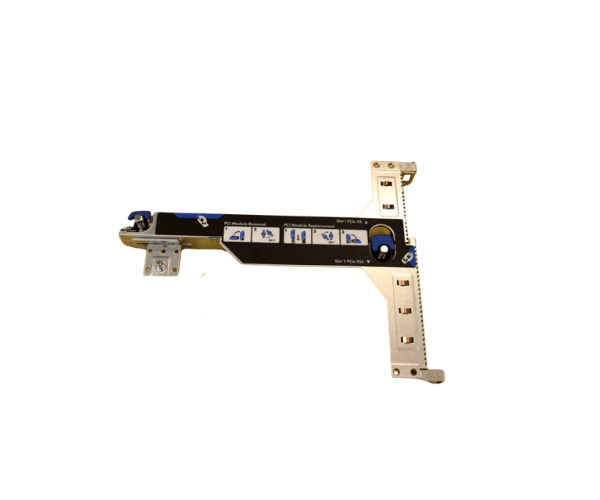
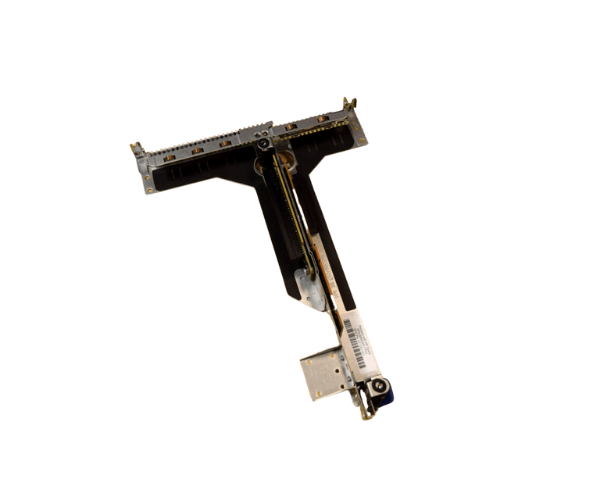
HP 671352-001 DL360p Gen8 PCI Riser Board with Cage
The HP 671352-001 DL360p Gen8 PCI Riser Board with Cage is a vital component for expanding your server’s PCIe slots. This riser board enables additional PCIe cards to be installed in the HP ProLiant DL360p Gen8 server, increasing its versatility and performance. Ideal for businesses needing advanced server scalability and improved resource allocation.
User Experience
Users of the HP 671352-001 DL360p Gen8 PCI Riser Board benefit from enhanced server capabilities by enabling additional PCIe expansion. This allows users to add crucial networking or storage components, optimizing the server for high-performance tasks such as virtualization, data processing, or large-scale computing. With easy installation and reliable performance, users experience improved system adaptability without downtime.
Why Choose the HP 671352-001 DL360p Gen8 PCI Riser Board?
The
HP 671352-001 DL360p Gen8 PCI Riser Board is essential for expanding the capacity of your HP ProLiant DL360p Gen8 server. It provides additional PCIe slots, giving you the flexibility to add network cards, storage controllers, or other expansion cards to improve your server’s performance. Designed specifically for the DL360p Gen8, this riser board ensures a perfect fit and seamless integration. The inclusion of a cage provides enhanced protection and stability for your PCIe cards, reducing the risk of damage and ensuring long-term reliability. Whether you’re looking to upgrade server capabilities for virtualization, storage, or networking, the HP 671352-001 DL360p Gen8 PCI Riser Board is the right solution.
Installation Steps
- Power off your HP ProLiant DL360p Gen8 server and disconnect it from the power source.
- Remove the server’s top cover by unscrewing and sliding it off.
- Locate the PCIe slot for the riser board on the server’s motherboard.
- Carefully insert the HP 671352-001 DL360p Gen8 PCI Riser Board into the PCIe slot, ensuring a secure connection.
- Tighten any screws to secure the riser board and cage to the server chassis.
- Reattach the top cover of the server and screw it in place.
- Reconnect the power source and turn on the server to confirm that the PCI Riser Board is detected by the system.