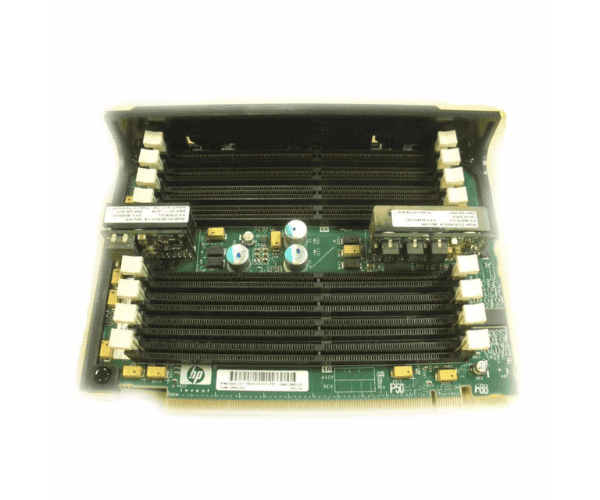
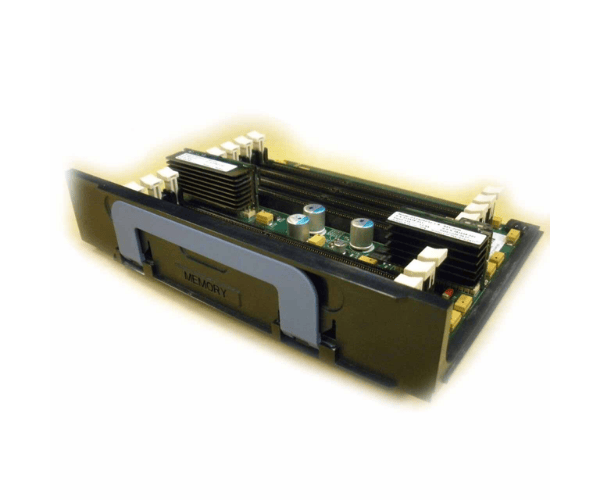
HP 409430-001 8-Slot Memory Riser Board
The HP 409430-001 8-Slot Memory Riser Board is an essential upgrade for your HP ProLiant server, designed to expand memory capacity and enhance system performance. By integrating the HP 409430-001, you can significantly boost your server’s ability to handle more applications and improve overall efficiency.
User Experience
The HP 409430-001 8-Slot Memory Riser Boards offers a reliable solution for expanding server memory. Users who have upgraded to the HP 409430-001 have reported notable improvements in server performance, allowing for greater multitasking and application handling. The installation process is user-friendly, making the HP 409430-001 an accessible upgrade for enhancing your server's capabilities. If you’re familiar with the HP 591199-001 DL 585 G7 System Board SPI Riser, you’ll appreciate the straightforward setup and performance boost the HP 409430-001 provides.
Why Choose the HP 409430-001 8-Slot Memory Riser Card?
The
HP 409430-001 8-Slot Memory Riser card stands out for its ability to expand your server's memory capacity efficiently. Choosing the HP 409430-001 means opting for enhanced performance and scalability in your HP ProLiant server. The HP 409430-001 is ideal for handling increased workloads and demanding applications, making it a valuable addition for anyone needing to upgrade their server’s memory. The HP 409430-001 ensures that your server remains competitive and capable of meeting evolving needs.
Installation Steps
- Power Down the Server: Turn off the server and disconnect it from any power sources.
- Open the Server Chassis: Remove the chassis cover to gain access to internal components.
- Locate the Memory Slot Area: Find the designated area for installing the memory riser board.
- Install the Riser Card: Insert the HP 409430-001 8-Slot Memory Riser Card into the memory slot area, ensuring it is aligned correctly.
- Secure the Riser Board: Use any necessary screws or brackets to fasten the riser board in place.
- Reassemble the Chassis: Replace and secure the chassis cover.
- Reconnect Power and Restart: Plug the server back in, power it on, and verify that the new memory slots are recognized.