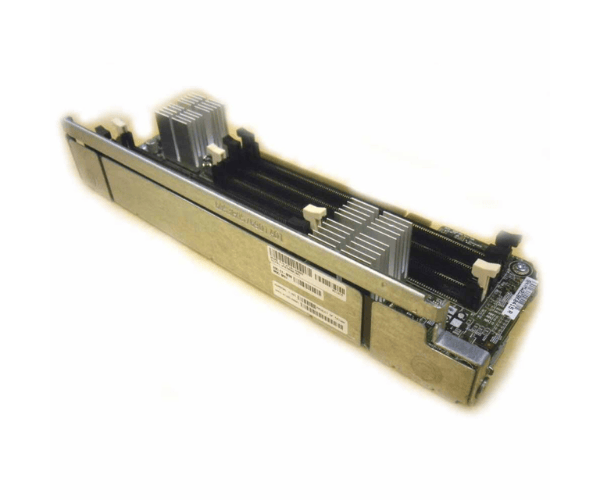
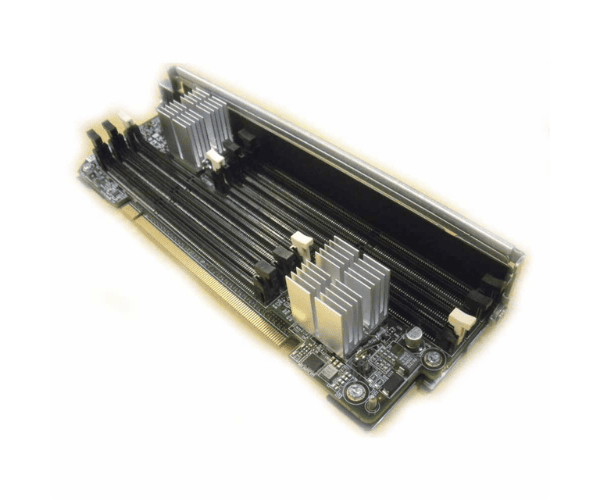
HP AT103A Memory Expansion Board Riser Board
The HP AT103A Memory Expansion Board Riser Board is designed to boost your server's memory capabilities. This essential upgrade allows for additional memory modules, enhancing your server's performance and capacity. Ideal for those needing to expand their HP server's memory, the HP AT103A Riser Board ensures efficient and reliable operation.
User Experience
The HP AT103A Memory Riser Board is widely praised for its effectiveness in increasing server memory capacity. Users appreciate how the HP AT103A Riser Board seamlessly integrates into their HP servers, providing additional slots for memory modules and significantly boosting system performance. The installation process is straightforward, making the HP AT103A an accessible upgrade for those looking to enhance their server's capabilities. Overall, the HP AT103A Riser Board is valued for its reliability and impact on server efficiency.
Why Choose the HP AT103A Memory Expansion Board Riser Board?
Choosing the
HP AT103A Memory Expansion Riser Boards means opting for a reliable and effective solution to expand your server's memory. The HP AT103A Riser Board is specifically designed to accommodate additional memory modules, which enhances your server’s performance and scalability. By integrating the HP AT103A into your HP server, you ensure that it can handle increased workloads and more demanding applications. The HP AT103A offers a seamless installation process and high performance, making it a top choice for users needing to upgrade their server's memory.
Installation Steps
- Power Down the Server: Turn off the server and disconnect it from all power sources.
- Open the Server Chassis: Remove the cover to access the internal components.
- Locate the Memory Slot Area: Find the area where the memory expansion board will be installed.
- Install the Riser Board: Insert the HP AT103A Memory Riser Board into the designated slot, ensuring it is aligned properly.
- Secure the Riser Board: Fasten the riser board using any provided screws or brackets to ensure it is firmly in place.
- Reassemble the Chassis: Replace and secure the server cover.
- Reconnect Power and Restart: Plug the server back in, power it on, and verify that the new memory slots are recognized.