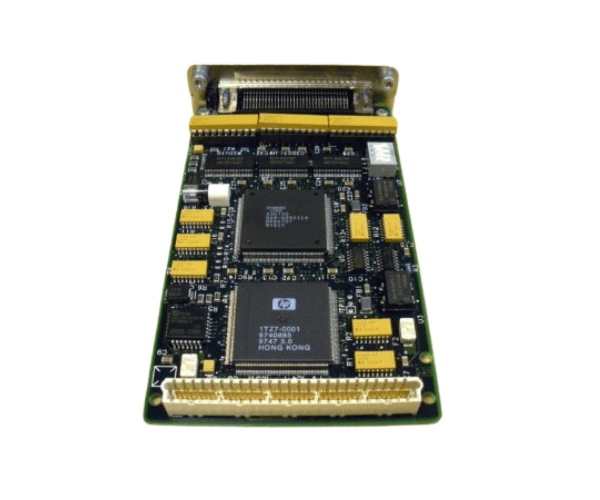
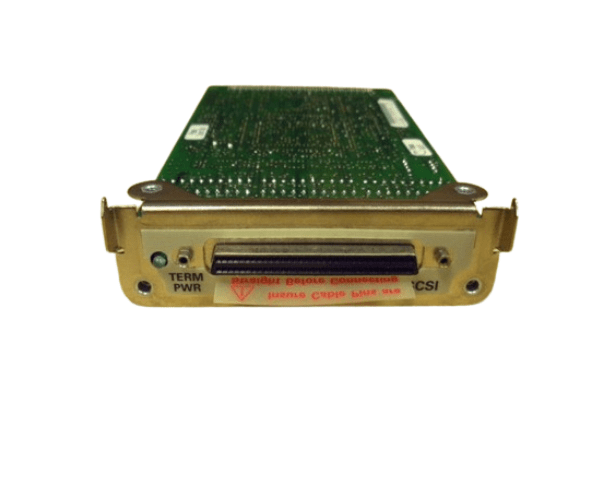
HP A2629-60001 FAST WIDE SCSI ADAPTER
The
HP A2629-60001 FAST WIDE SCSI ADAPTER is designed to enhance your server's storage capabilities with fast and reliable SCSI connectivity. This adapter supports high-speed data transfers, making it ideal for enterprise environments that demand efficient and robust performance.
User Experience
Users of the HP A2629-60001 SCSI Adapter report a significant improvement in data transfer speeds and overall system efficiency. This adapter's fast and reliable connectivity is particularly beneficial for data-intensive applications, ensuring smooth and uninterrupted performance. Installation is straightforward, and the adapter integrates seamlessly with HP servers.
Why Choose the HP A2629-60001 FAST WIDE SCSI ADAPTER?
The HP HP A2629-60001 SCSI Adapter is an excellent choice for those looking to enhance their server's storage performance. With its fast data transfer rates and dual SCSI ports, the HP A2629-60001 adapter ensures efficient handling of large volumes of data. Its compatibility with HP servers and easy installation make it a practical and reliable solution. Choosing the HP A2629-60001 SCSI Adapter guarantees improved performance and reliability for your storage needs.
Key Features
- Fast Data Transfer: Supports data transfer rates up to 40MB/s for efficient performance.
- Dual SCSI Ports: Provides versatile connectivity options for multiple SCSI devices.
- Compatibility: Seamlessly integrates with HP servers and supports various operating systems.
- Low Profile Form Factor: Fits easily into server configurations with limited space.
- Reliable Performance: Ideal for data-intensive applications and high-volume storage requirements.
- Easy Installation: Quick and straightforward installation process.
Installation Steps
- Power Down the Server: Ensure the server is turned off and disconnected from the power source.
- Open the Server Case: Remove screws or latches to access the internal components.
- Locate the SCSI Slot: Identify an available SCSI slot on the server motherboard.
- Insert the Adapter: Carefully insert the HP A2629-60001 SCSI Adapter into the SCSI slot.
- Secure the Adapter: Fasten the adapter to the server chassis using the provided screws or latches.
- Connect SCSI Cables: Attach the SCSI cables to the dual ports on the adapter.
- Close the Server Case: Replace and secure the server case cover.
- Power Up the Server: Reconnect the power source and turn on the server.
- Install Drivers: Download and install the latest drivers from the HP support website if necessary.
- Configure the Adapter: Use the server’s management tools to configure the adapter settings.