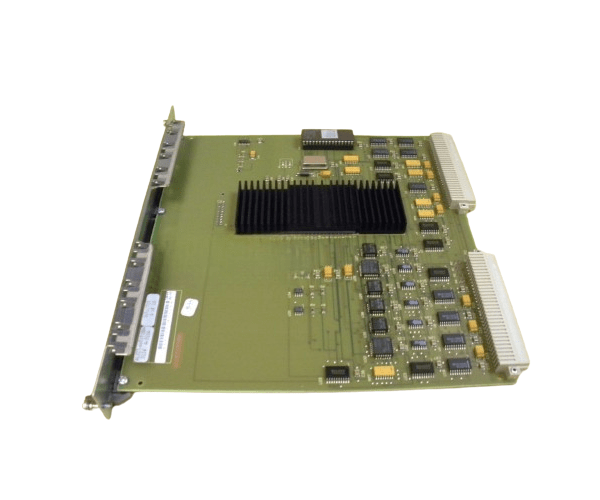
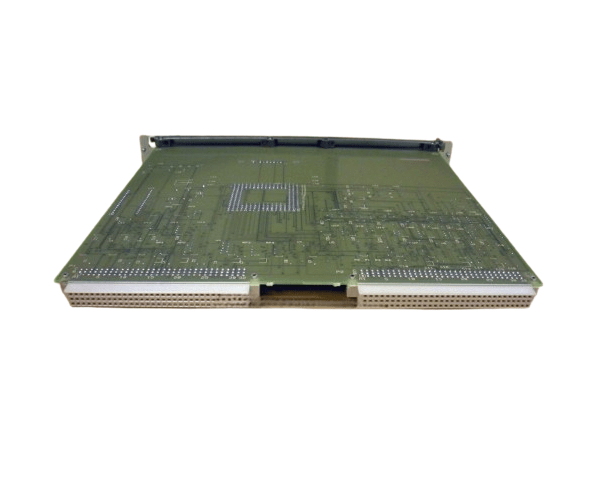
HP A1027-66515 CIO CHANNEL ADAPTER BOARD
The HP A1027-66515 CIO Channel Adapter Board is an advanced expansion card designed to enhance connectivity and performance in HP servers. This adapter board is essential for expanding I/O capabilities, ensuring reliable and efficient data handling. Ideal for data-intensive applications, the HP A1027-66515 delivers robust performance and flexibility.
User Experience
The HP A1027-66515 CIO Adapter is praised for its reliability and ease of integration. Users have reported smooth performance improvements and expanded connectivity options. The board's installation process is straightforward, and it effectively enhances the server's I/O capabilities. The HP A1027-66515 is particularly valued for its contribution to maintaining system efficiency under high data loads.
Why Choose the HP A1027-66515 CIO Channel Adapter Board?
Choosing the
HP A1027-66515 CIO Adapter Board means investing in enhanced performance and scalability for your HP server. This adapter board offers superior connectivity with multiple I/O channels, ensuring that your server can handle increased data loads and expansion requirements. The HP A1027-66515 is designed for seamless integration with HP systems, making it an optimal choice for businesses looking to improve their server infrastructure. By selecting the HP A1027-66515, you ensure robust and reliable performance, meeting the demands of modern data environments.
Key Features
- High-Speed Data Transfer: Delivers efficient and reliable data handling.
- Multiple I/O Channels: Expands connectivity options for various devices.
- Seamless Integration: Designed for easy installation with HP servers.
- Enhanced Performance: Supports high-performance applications and workloads.
- Flexibility: Accommodates a range of I/O devices and expansion modules.
Installation Steps
- Power Down the Server: Ensure the server is turned off and disconnected from the power source.
- Open the Server Case: Remove screws or latches to access the internal components.
- Locate the Expansion Slot: Identify an available expansion slot on the server motherboard.
- Insert the Adapter Board: Carefully insert the HP A1027-66515 CIO Adapter Board into the expansion slot.
- Secure the Board: Fasten the adapter board to the server chassis using the provided screws or latches.
- Connect Cables: Attach necessary cables or connectors to the I/O channels on the board.
- Close the Server Case: Replace and secure the server case cover.
- Power Up the Server: Reconnect the power source and turn on the server.
- Install Drivers: Download and install the required drivers from the HP support website if needed.
- Configure the Board: Use the server’s management tools to configure the adapter settings as required.