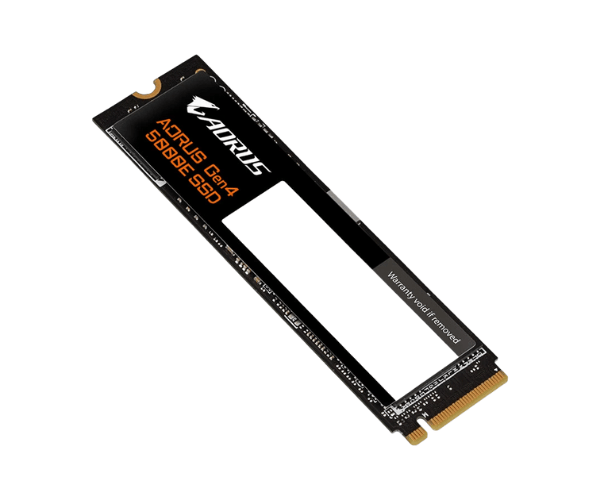
About of Gigabyte AORUS Gen4 5000E 1 TB M.2 2280 Internal SSD
The
Gigabyte AORUS Gen4 5000E 1TB M.2 2280 Internal SSD offers high-speed storage with exceptional read and write performance. It is designed to improve system responsiveness and load times, ideal for gaming and professional tasks that require rapid data transfer.
Specification
| Feature |
Details |
| Brand |
Gigabyte |
| Model |
Gigabyte AORUS Gen4 5000E 1TB |
| Type |
Internal SSD |
| Storage |
1TB |
| Form Factor (Inch) |
M.2 2280 |
| Interface Mode |
NVMe |
| Interface(s) |
PCIe 4.0 x4 NVMe 1.4 |
| PCIe/NVMe Generation |
Gen4 |
| Read Speed (Max.) |
5000MB/s |
| Write Speed (Max.) |
4600MB/s |
| Approx. Power Consumption |
4.3W |
| Color |
Black |
| Dimensions |
80 x 22 x 2.3mm |
Description
Gigabyte AORUS Gen4 5000E 1TB M.2 2280 Internal SSD in BD
The Gigabyte AORUS Gen 4 5000E 1TB M.2 2280 Internal SSD was designed to create fast, effective, and efficient storage. Being driven by the PCIe generation-advanced technology, the PCIe Gen4 tears up in read and writes for optimal gaming and professional use among users who settle for nothing other than sheer performance.
User Experience
The Gigabyte AORUS Gen-4 5000E 1TB M.2 2280 Internal SSD has worked wonders on my system as a whole. Boot times are notably faster, and large applications load at blinding speed. This machine will serve well for gaming or even video editing with very good responsiveness. Installation was easy, and the drive ran cool even under load. I've noticed smoother gameplay and quicker file transfers. The 1TB capacity holds all of my data, and with PCIe Gen4, I'm future proofed for years to come.
Why Choose the Gigabyte AORUS Gen-4 5000E 1TB M.2 2280 Internal SSD?
- Excellent Performance: PCIe Gen4 technology for ultra-fast read/write speeds.
- Large Capacity: 1TB space for storing games, files, and applications.
- Efficient Design: Onboard DRAM cache ensures smooth data processing.
- Durability: Constructed to last with an MTBF rating of up to 1.8 million hours.
- Future-Proof: Ready for next-gen gaming and professional workloads.
Steps to Install
- Shut down your PC and unplug it from the power source.
- Open your case and locate an empty M.2 slot on the motherboard.
- Insert the Gigabyte AORUS Gen4 5000E 1TB M.2 Internal SSD into an M.2 slot, inserting it correctly.
- Fasten the screw to secure the screw in its place.
- Reassemble the PC case and plug in.
- Power the PC on and install any needed drivers or software.
- Format the SSD with your operating system in order to use it.
What is the Price of the Gigabyte AORUS Gen4 5000E 1TB M.2 2280 Internal SSD in Bangladesh?
The latest price of
Gigabyte AORUS Gen4 5000E 1 TB M.2 2280 Internal SSD in Bangladesh depends on quantity.
Crystal Vision Solutions ensure This product has the best market price in Bangladesh. Our product is 100% original and lowest price in Bangladesh. All kinds of services are the best in Bangladesh, and contact us for any information and latest price.