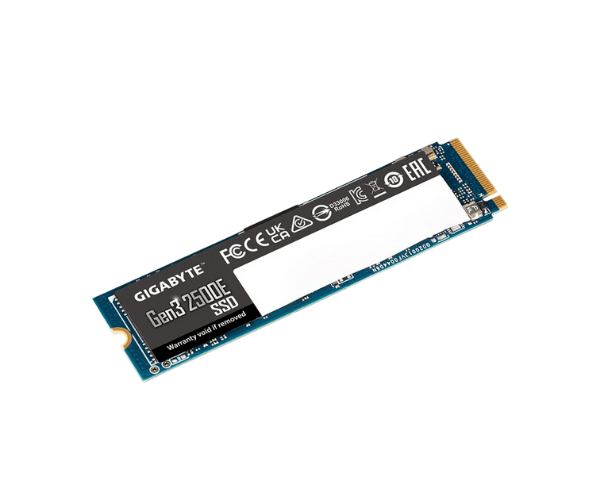
About of Gigabyte Gen3 2500E 1 TB M.2 2280 Internal SSD
The
Gigabyte Gen3 2500E 1TB M.2 2280 Internal SSD offers high-speed performance with large storage capacity for both gaming and productivity. Ideal for fast data transfers, it ensures smooth operation for all your needs.
Specification
| Feature |
Details |
| Brand |
Gigabyte |
| Model |
Gigabyte Gen3 2500E 1TB |
| Type |
Internal SSD |
| Storage |
1TB |
| Form Factor (Inch) |
M.2 2280 |
| Interface Mode |
NVMe |
| Interface(s) |
PCIe 3.0 x4 NVMe 1.3 |
| PCIe/NVMe Generation |
Gen3 |
| Read Speed (Max.) |
2400MB/s |
| Write Speed (Max.) |
1800MB/s |
| Approx. Power Consumption |
15W |
| Color |
Black & Blue |
| Dimensions |
22 x 2.3 x 80mm |
Description
Gigabyte Gen3 2500E 1TB M.2 2280 SSD in BD
The Gigabyte Gen3 2500E 1TB M.2 2280 Internal SSD is specially designed to make your computing seamless, thanks to blazing-fast data transfer speeds. Boasting an awesome 1 TB, it avails sufficient capacity for games, files, and programs, and all this is confined within an M.2 2280 factor. It delivers the most outstanding computer operation.
User Experience
With the Gigabyte Gen3 2500E 1TB M.2 2280 Int-ernal SSD, booting became lightning-fast, transferring became so quick, and applications will fire up instantaneously. This ranks among the fastest internal SSD drives, powered by an interface PCIe Gen3 x4 with NVMe 1.3. It promises reliable performance without lag in gaming and work applications. Besides, it is highly durable, with up to 600TBW, allowing heavy usage over time. The SSD drive has been a nice addition to a computer system through which both speed and efficiency are enhanced.
Why Choose the Gigabyte Gen3 2500E 1TB M.2 2280 Int SSD?
- Blazing-fast read speeds up to 2500MB/s for quick file access.
- Heavy workload and Gaming: Generous 1TB of storage capacity.
- Equipped with the latest PCIe Gen3 x4 and NVMe 1.3, so data transfer is fast.
- M.2 2280 form factor, easy installation in modern devices.
- Reliable and durable; endurance rating of up to 600TBW.
- For desktop and laptop computers featuring an M.2 slot.
Steps for Installation
- Switch your computer off, and disconnect all power sources to it.
- Open your device case to expose your motherboard.
- Locate the M.2 on the motherboard.
- Insert your Gigabyte Gen3 2500E 1TB M.2 SSD at a slight angle into that slot.
- Softly press it down and screw it up if possible.
- Close your case and reconnect to power.
- Boot up your PC and format the SSD for use.
What is the Price of the Gigabyte Gen3 2500E 1TB M.2 2280 Internal SSD in Bangladesh?
The latest price of
Gigabyte Gen3 2500E 1TB M.2 2280 Internal SSD in Bangladesh depends on quantity.
Crystal Vision Solutions ensure This product has the best market price in Bangladesh. Our product is 100% original and lowest price in Bangladesh. All kinds of services are the best in Bangladesh, and contact us for any information and latest price.