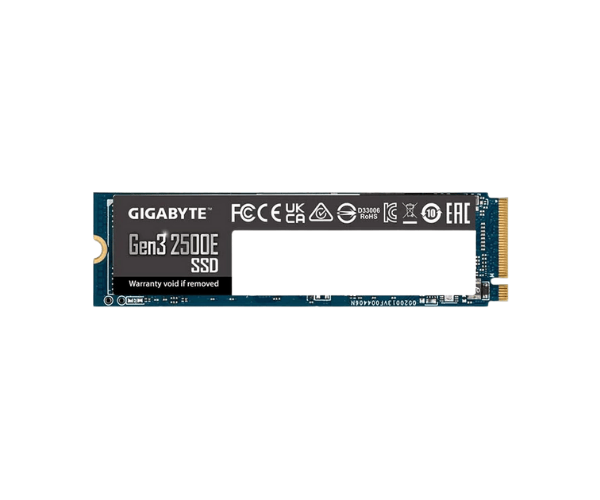
About of Gigabyte Gen3 2500E 500 GB M.2 2280 PCIe 3.0 x4 NVMe 1.3 SSD
The
Gigabyte Gen3 2500E 500GB M.2 2280 PCIe 3.0 x4 NVMe 1.3 SSD offers exceptional performance with ultra-fast read and write speeds. Ideal for gamers, professionals, and anyone who needs reliable, high-speed storage solutions.
Specification
| Feature |
Details |
| Brand |
Gigabyte |
| Model |
Gigabyte Gen3 2500E |
| Type |
Internal SSD |
| Storage |
500GB |
| Form Factor (Inch) |
M.2 2280 |
| Interface Mode |
NVMe |
| Interface(s) |
PCIe 3.0 x4 NVMe 1.3 |
| PCIe/NVMe Generation |
Gen3 |
| Read Speed (Max.) |
2300MB/s |
| Write Speed (Max.) |
1500MB/s |
| Approx. Power Consumption |
15W |
| Color |
Blue |
| Dimensions |
22 x 2.3 x 80mm |
Description
Gigabyte Gen3 2500E 500 GB M.2 2280 PCIe 3.0 x4 NVMe 1.3 SSD in BD
The Gigabyte Gen3 2500E 500GB M.2 2280 PCIe 3.0 x4 NVMe 1.3 SSD is designed with a view for quick storage by offering fast data transfer. It also supports high-performance, reliability, and low-power to satisfy applications of today.
User Experience
So far, this Gigabyte Gen3 2500E 500GB M.2 2280 PCIe 3.0 x4 NVMe 1.3 SSD has outdone all expectations that relate to its performance. That simply means faster application loads and seamless file transfers, given that it has up to 2500 MB/s sequential read and 1050 MB/s sequential write speeds. It installs in an M.2 slot for easy setup. Besides that, the drive operates cool, having an excellent thermal management system, is tough, and comes with durability at 180 TBW. Overall, that's a good value for casual users, yet power users will appreciate the need for speed.
Why Choose the Gigabyte Gen3 2500E 500GB M.2 2280 PCIe 3.0 x4 NVMe 1.3 SSD?
- Ultra-fast read/write speed for quicker load times and better responsiveness
- With 500GB capacity, fitting for most applications of gaming, creative, and professional purposes
- A high-bandwidth PCIe 3.0 x4 interface, fit for the most demanding of applications
- Reliable with 180TBW rating to ensure long life
- Easy installation to M.2 with less effort installed.
Installation Steps
- Switch your computer off and unplug it from power.
- Open the computer case and locate the M.2 slot on the motherboard.
- At an angle of about 30 degrees place the Gigabyte 2500E 500GB M.2 2280 PCIe 3.0 x4 NVMe 1.3 SSD into the slot.
- Gently push the drive until it clicks into place.
- Secure it with a screw if need be.
- Close the computer case and reconnect the power.
- Power on your system and verify that the SSD is detected. Install drivers if necessary.
What is the Price of the Gigabyte Gen3 2500E 500GB M.2 2280 PCIe 3.0 x4 NVMe 1.3 SSD in Bangladesh?
The latest price of
Gigabyte 2500E 500GB M.2 2280 PCIe 3.0 x4 NVMe 1.3 SSD in Bangladesh depends on quantity.
Crystal Vision Solutions ensure This product has the best market price in Bangladesh. Our product is 100% original and lowest price in Bangladesh. All kinds of services are the best in Bangladesh, and contact us for any information and latest price.