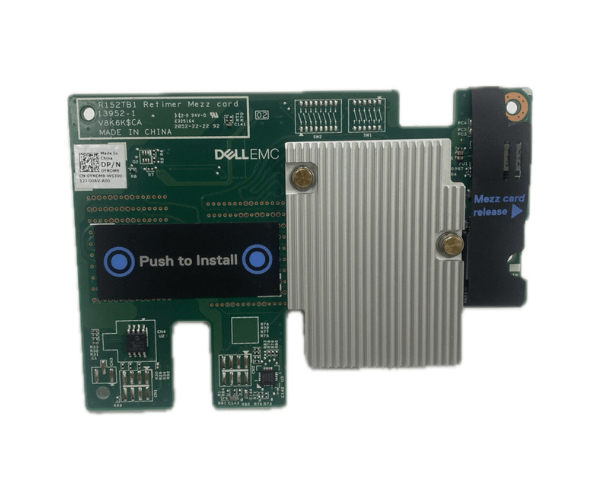
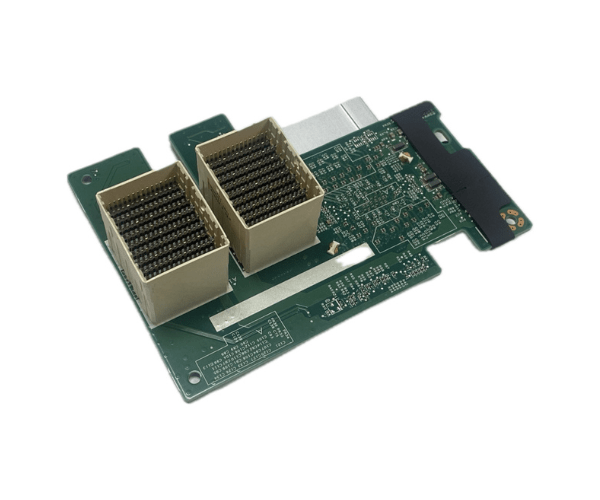
Introduction of Dell YNDM8 FC640 Mezzanine Passthrough Module (B & C) Network Adapter
The Dell YNDM8 FC640 Mezzanine Passthrough Module (B & C) Network Adapter is a crucial component designed to enhance the networking capabilities of the Dell PowerEdge FC640 server. This network adapter offers direct connectivity, bypassing the need for a switch, thereby streamlining network connections and boosting overall performance. Whether you're upgrading your current setup or expanding your network infrastructure, the Dell YNDM8 FC640 is engineered to meet the demands of modern data centers and enterprise environments.
Why Choose the Dell YNDM8 FC640 Mezzanine Passthrough Module (B & C) Network Adapter?
Choosing the Dell Mezzanine Passthrough Module (B & C) Network Adapter ensures seamless and efficient network connectivity for your Dell PowerEdge FC640 server. This adapter eliminates the need for additional switches, simplifying your network setup and reducing latency. With its reliable performance and robust build, this network adapter is ideal for businesses looking to optimize their network infrastructure. Moreover, its compatibility with various network standards ensures versatility and ease of integration.
User Experience
Users of the Dell Mezzanine Passthrough Module (B & C) Network Adapter consistently report a positive experience. They appreciate the adapter's straightforward installation and its ability to deliver high-speed network connectivity without the need for complex configurations. The robust design and reliable performance of the Dell YNDM8 ensure stable network operations, making it a preferred choice for IT professionals. Customers also note the adapter's efficiency in handling large data volumes, contributing to an overall enhanced network environment.
Key Features
- Direct Connectivity: Bypasses the need for network switches.
- Easy Installation: Simple and quick setup process.
- Reliable Performance: Ensures stable and high-speed network operations.
- Compatibility: Works seamlessly with Dell PowerEdge FC640 servers.
- Energy Efficient: Low power consumption for better efficiency.
- Robust Build: Durable design for long-lasting performance.
- Flexible Integration: Compatible with various network standards.
Installation Step
- Power down your Dell PowerEdge FC640 server.
- Open the server chassis to access the mezzanine slot.
- Insert the Dell Mezzanine Passthrough Module (B & C) Network Adapter into the appropriate mezzanine slot.
- Secure the module with screws if necessary.
- Close the server chassis.
- Power up the server and verify the network adapter is recognized in the system BIOS or operating system.
- Install any necessary drivers or firmware updates.
Where it Can Be Used?
The
Dell Mezzanine Passthrough Module (B & C) Network
Adapter is ideal for use in diverse environments. In data centers, it enhances network connectivity and performance. Enterprise environments benefit from its reliable data handling capabilities and efficient network operations. IT departments in various industries can utilize this adapter to streamline their server networking and ensure seamless data transfer and communication. Additionally, it is suitable for businesses looking to upgrade their existing network infrastructure with minimal complexity and maximum efficiency.